
 New in MetaKocka
New supplier directly on the inbound order
You can now add a supplier that is not yet in the codebook directly on the inbound order or receiving note.
In Order Management and Fulfillment App
In Order Management you add the supplier when receiving goods into your own warehouse. A fulfillment center in Fulfillment App receives goods for many clients and cannot have all their suppliers in the codebook in advance, so it adds the supplier during receiving, to the client it is receiving for.
How it works
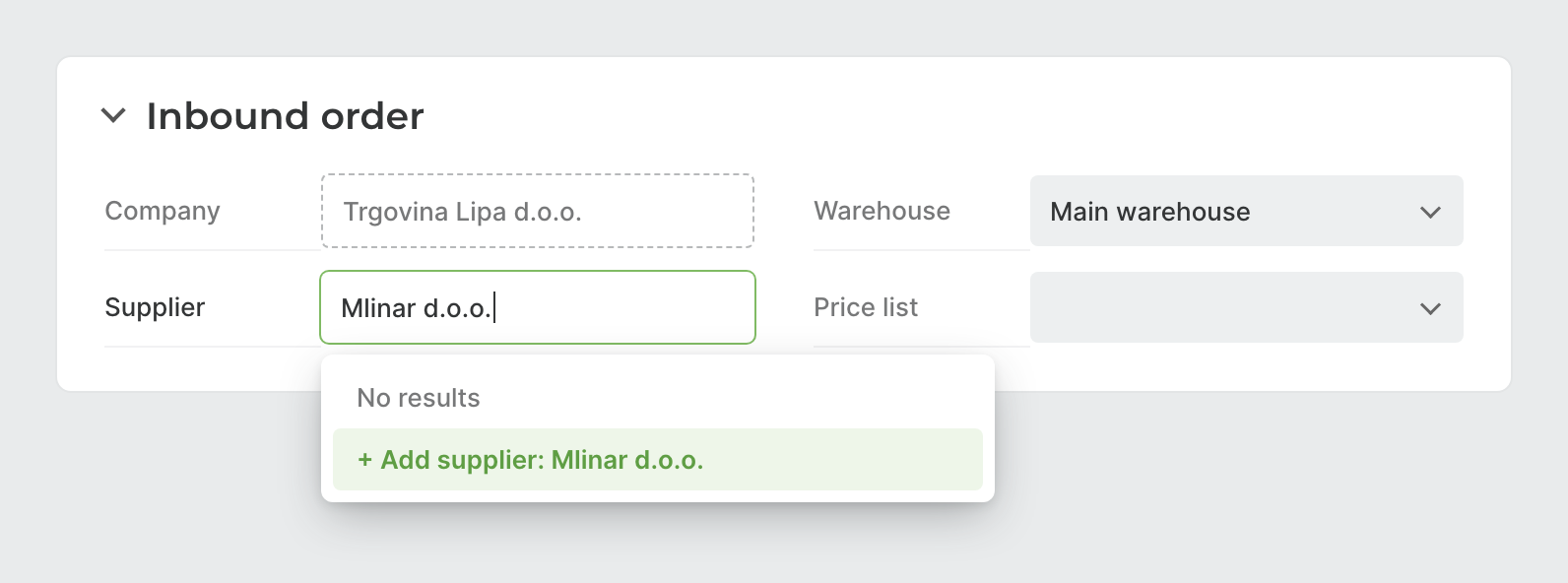
Type the name in the Supplier field. If there is no supplier with that name, the dropdown offers + Add supplier.
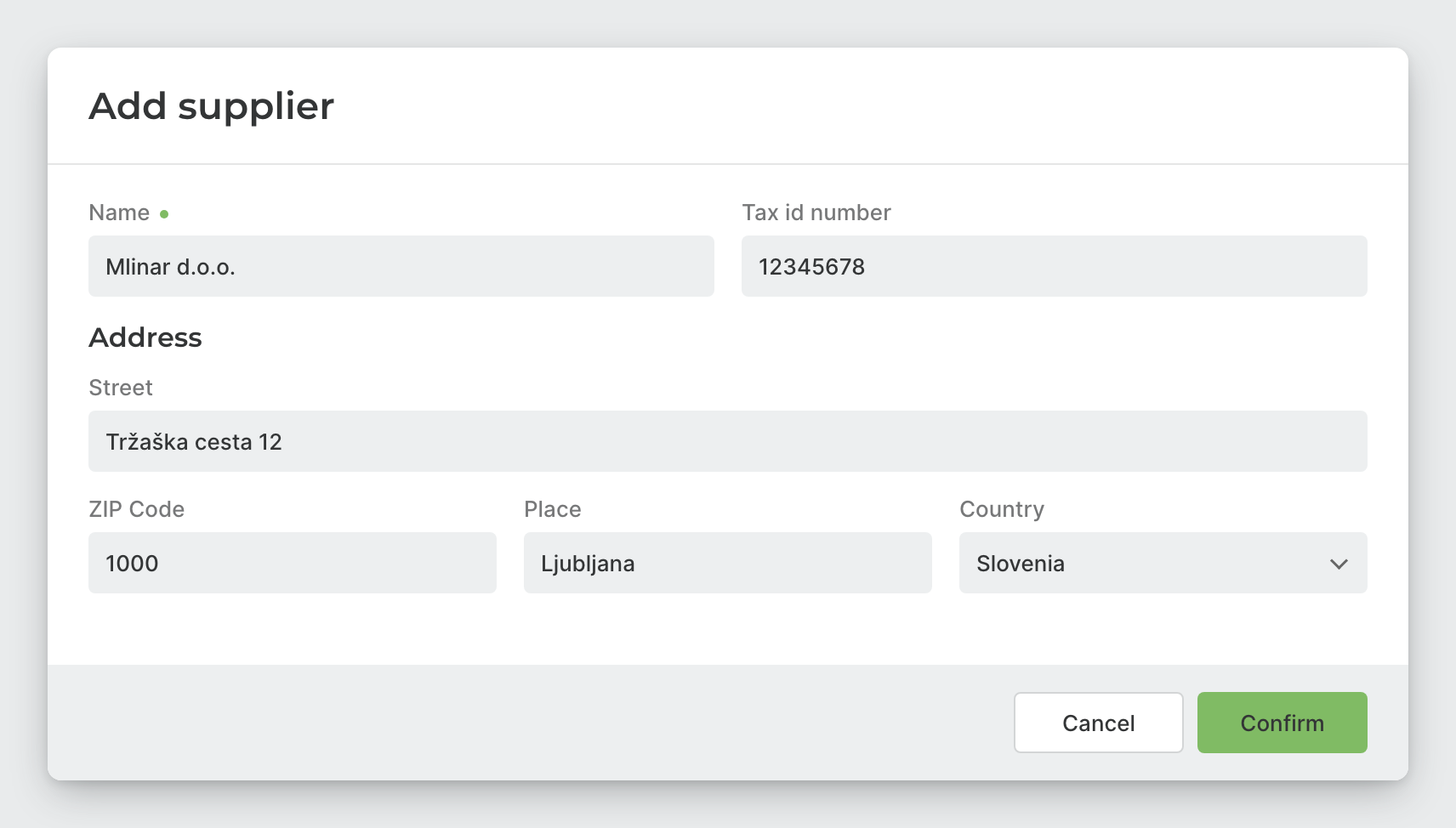
A window for the supplier’s basic details opens, and only the name is required. When you click Confirm, the supplier is saved to the codebook and already selected on the document.
Instructions and further information:
Warehouse operations in Fulfillment App · Receiving note in Order Management · MetaKocka support
Wishing you business success,
MetaKocka Team
Would you like to be informed about news and optimizations?