
 New in MetaKocka
Product properties are visible on every order
Mark whether a product is fragile, flammable, dangerous or temperature sensitive. The properties appear as icons wherever the product is handled.
Products that need different handling
A fragile glass, a flammable liquid or a parcel with dangerous goods is packed and shipped differently from other products. The warehouse worker now sees this on the order, even without knowing the product.
Which properties you can mark
Product details have 15 new fields. Thirteen of them are yes or no, and each has its own icon:
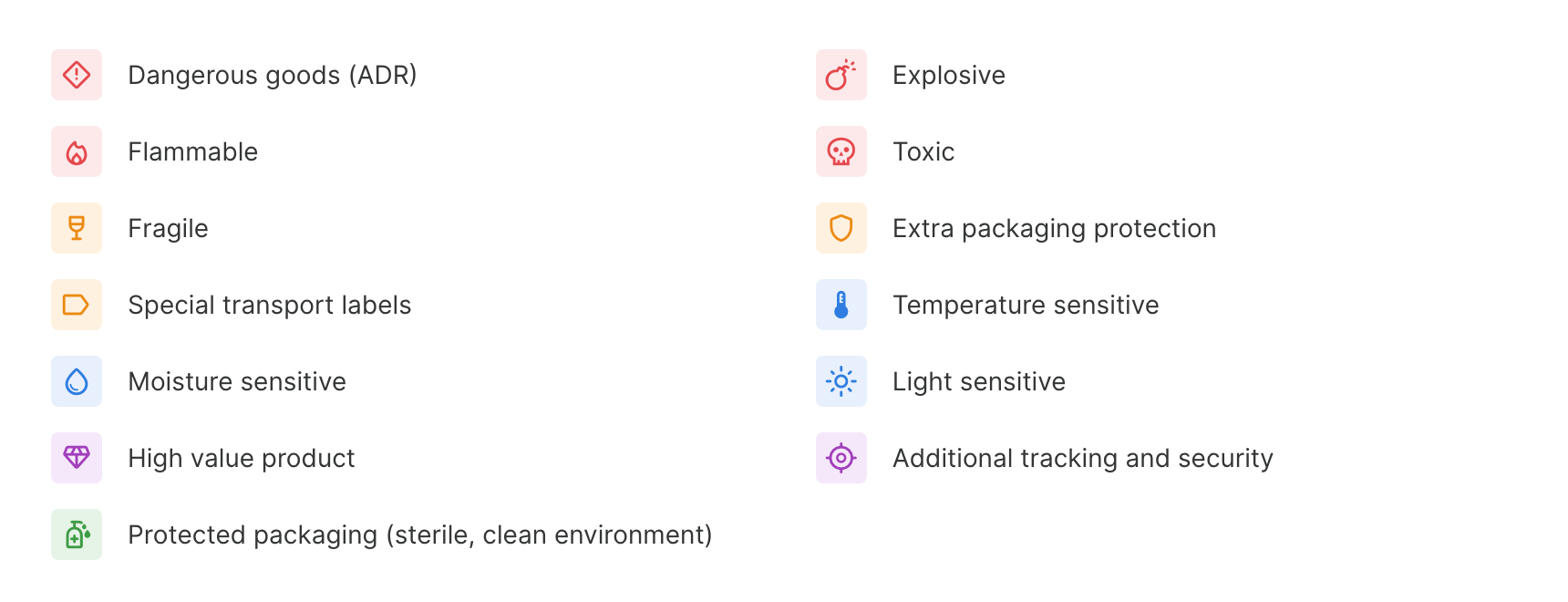
The icon colour shows the group: red for dangerous goods, orange for handling during packing, blue for sensitivity, purple for value and green for protected packaging. The product also has the fields Shape (standard or irregular) and Storage location type, whose values, for example cold zone, you define in your own codebook. Properties can also be set via the API.
Where they are visible
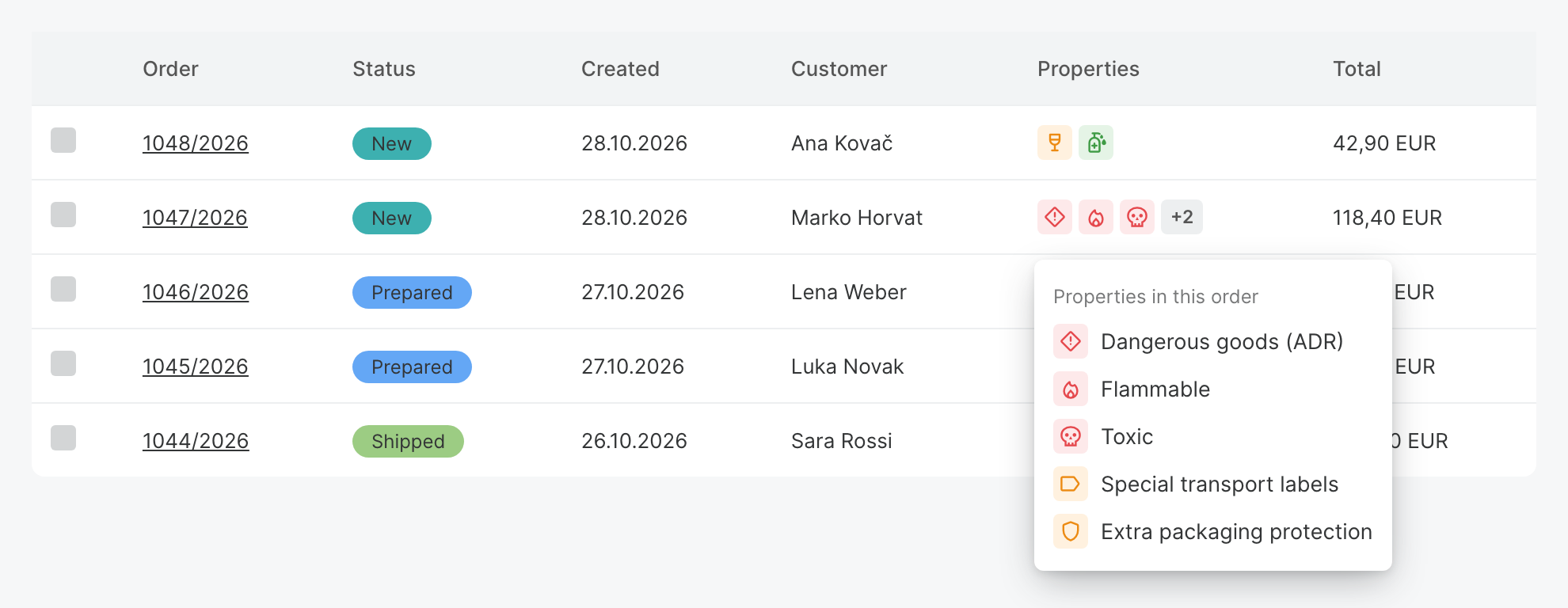
In Order Management and Fulfillment App, the order list has a Properties column with the icons of all products in the order. The same column is in the order details, for each product separately.
If there are more than three properties, the rest are grouped in a +N badge, and all of them are listed in a popover next to the icons.
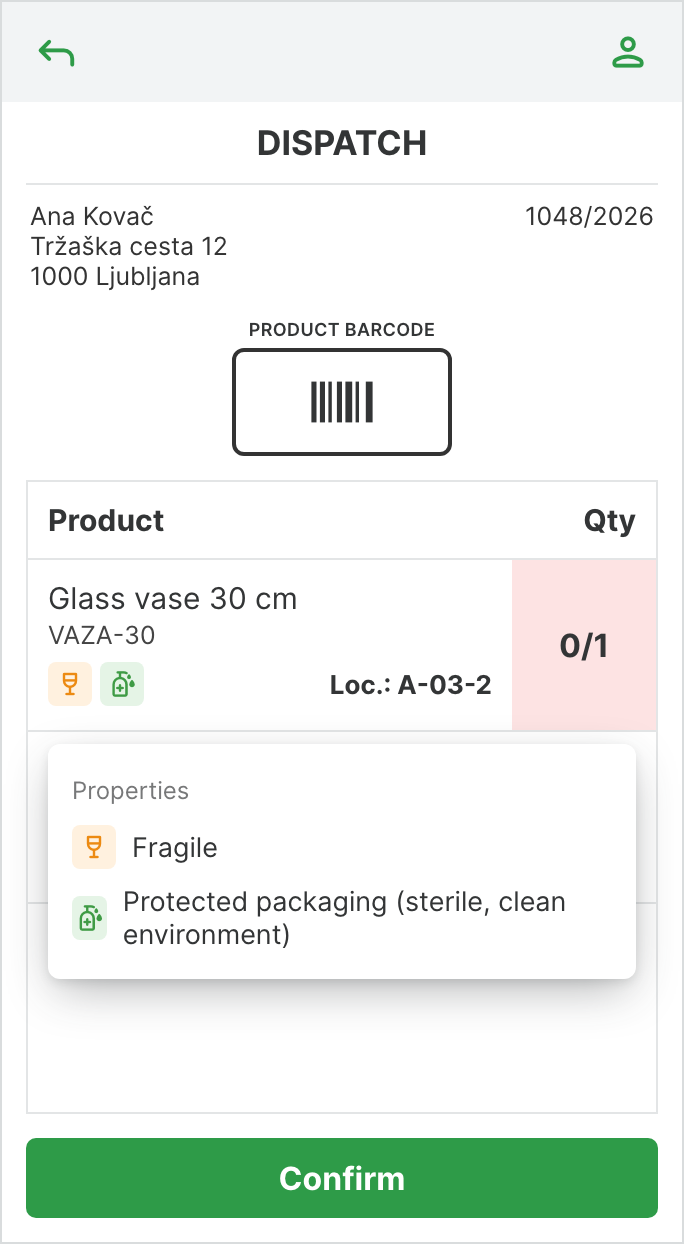
On the mobile scanner the icons are shown under the product in inbound orders, receiving notes, picking, dispatch, stocktaking, delivery orders, stock overview and package overview.
Product properties are activated by our support team. Write to podpora@metakocka.si and tell us which properties you want to use. Each one can be activated separately.
Instructions and further information:
Mobile scanner · MetaKocka support
Wishing you business success,
MetaKocka Team
Would you like to be informed about news and optimizations?