
 Fulfillment App
Price lists for merchants in Fulfillment App
The prices you charge merchants for warehouse services can now be entered in Fulfillment App. Until now this had to be done in the main MetaKocka application.
TL;DR (In short)
- Price lists are under Settings, Billing, Price lists.
- Each price list has a merchant, a currency and a validity period.
- For every billing item you set the price, VAT and a discount in percent.
- Billing uses only the price lists that are valid in the billing period.
Where to find them
Open Settings, then Billing, and the Price lists tab. The list shows the number, name, merchant, currency, date and validity of each price list. You can search by name or filter by merchant.

The price list overview. The merchants are sample data.
A new price list
Click New item and fill in the name, the merchant, the currency and the dates from and to which the price list is valid. Under Products you then add the billing items one by one: choose the item, enter the price and VAT, and a discount in percent if the merchant has one.
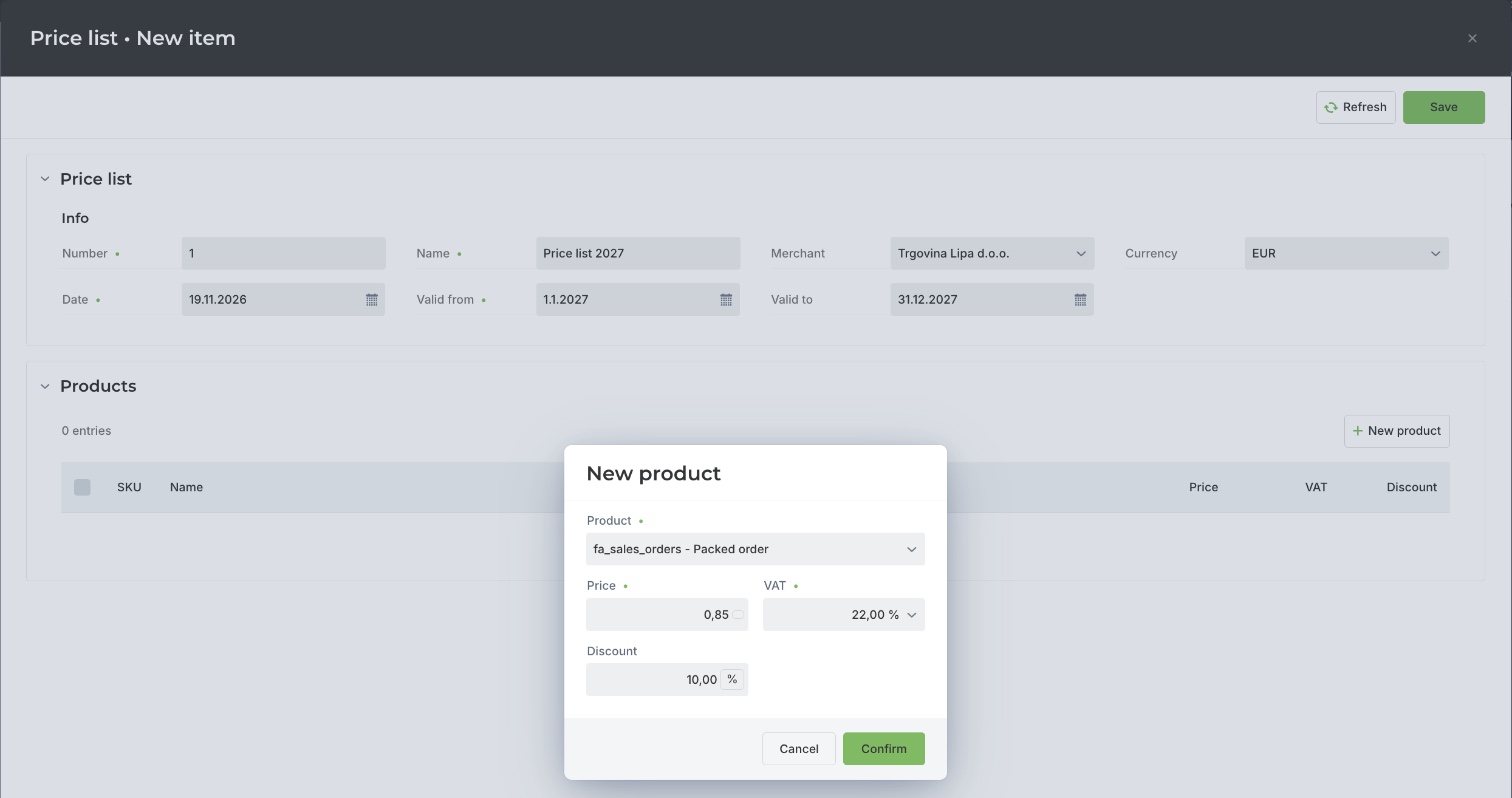
A new price list with a 10% discount on packed orders. The merchant and the prices are sample data.
Price lists in billing
When you prepare a billing statement for a merchant, Fulfillment App takes into account only the price lists that are valid in the billing period. A price list for next year can therefore be entered in advance with a later Valid from date. Which items are billed and how packing material is recorded at dispatch is described in the article on recording packaging at dispatch.
Instructions and more information:
MetaKocka support · Fulfillment App
Is your warehouse still running on notes and phone calls?
Meet Fulfillment App and keep receiving, picking and dispatch in one application.
| Try it out |
Wishing you business success,
MetaKocka Team
Would you like to be informed about news and optimizations?