
 Fulfillment App
An order gets its own status the moment picking starts
In the settings you decide which status a sales order moves to when a picking list is created for it, when the warehouse worker scans the first product and when picking is finished.
TL;DR (In short)
- Three separate settings: the status on creating a picking list, on starting and on finishing the picking.
- Each is switched on separately, and the status comes from your own list.
- A picking list can be created straight in the label printing dialog.
Why one status was not enough
Between confirming an order and dispatching it, the order used to stay in the same status, so the list did not show whether a parcel was still waiting or a warehouse worker was picking it right then.
The cost was duplicated work: an order already on a picking list was taken into processing a second time, and the stock check automation ran over orders the warehouse worker already had in hand.
Three points where the status can change
They do not depend on one another, so you can switch on one, two or all three. The field labels are shown in Slovenian in the interface, so they are quoted here as they appear.
| Setting | When it fires |
|---|---|
| Status prodajnega naročila ob kreiranju komisije Settings → Order Management |
When a picking list is created for the orders. Every order on the list is moved. |
| Status prodajnega naročila ob začetku komisije Settings → Warehouse |
When the warehouse worker scans the first product on the picking list. |
| Status prodajnega naročila ob koncu komisije Settings → Warehouse |
When the picking list is completed. |
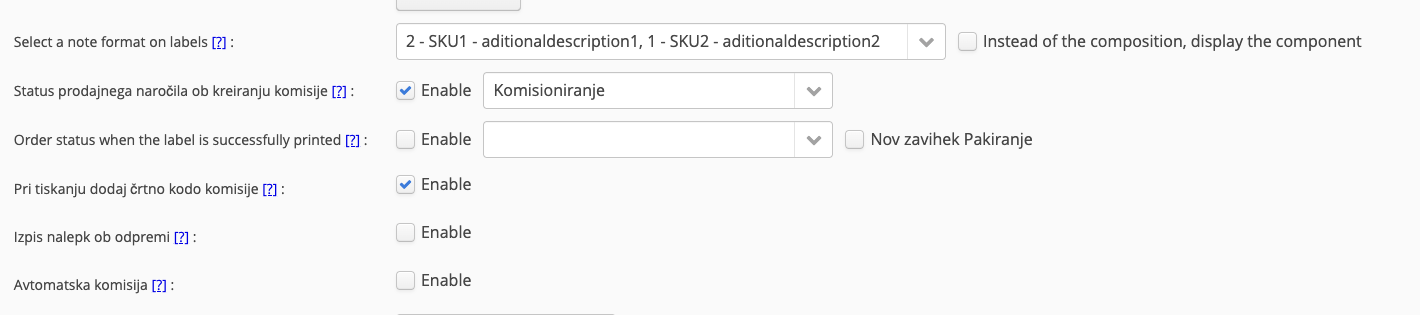
Settings → Order Management. The status Komisioniranje is selected.

Settings → Warehouse. Here Komisioniranje and Odpremljen.
If you pass the status on to your online store, check the sales order status mappings from Order Management to the online store, so the customer does not receive a notification they are not expecting.
A picking list can be created when labels are printed
The Order Management settings have a Kreiraj komisijo ob tiskanju nalepkbox. With it switched on, the label preparation dialog gains a second step called Komisioniranje: you download the labels, then create the picking list, and it appears in the scanner.

The box sits in the Order Management settings.
Printing labels and preparing work for the warehouse are one step instead of two.
When an order is in the picking status, the setting Onemogoči spreminjanje artiklov na naročilih can stop anyone changing the products on an order a warehouse worker is already picking.
What this changes in daily work
- Orders being processed are separate from those still waiting. Nobody takes them up a second time.
- The stock check automation can run over the right set. The stock check can now also be tied to the ready to ship status, that is to orders that have not yet gone onto a picking list.
- Dispatch in the Fulfillment App has a Status column and its own Commissioning tab. The Ready to ship tab shows both groups.
- A merchant whose goods sit in a fulfillment centre sees the progress. The status says what is happening to the order at the provider.
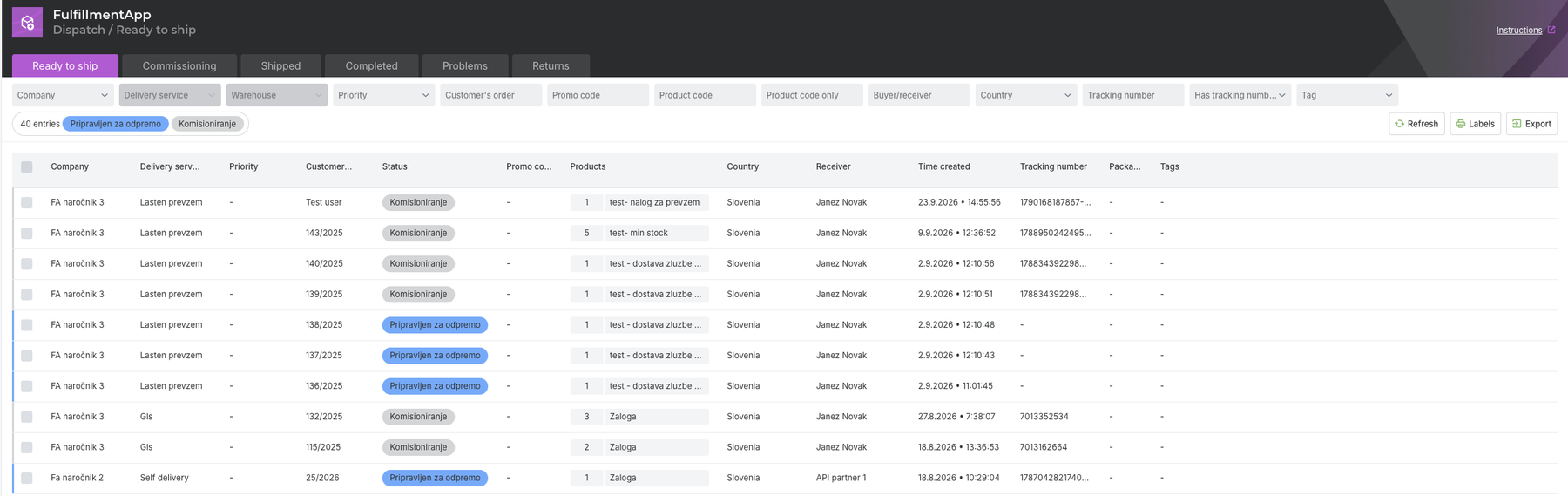
Dispatch in the Fulfillment App, the Ready to ship tab.
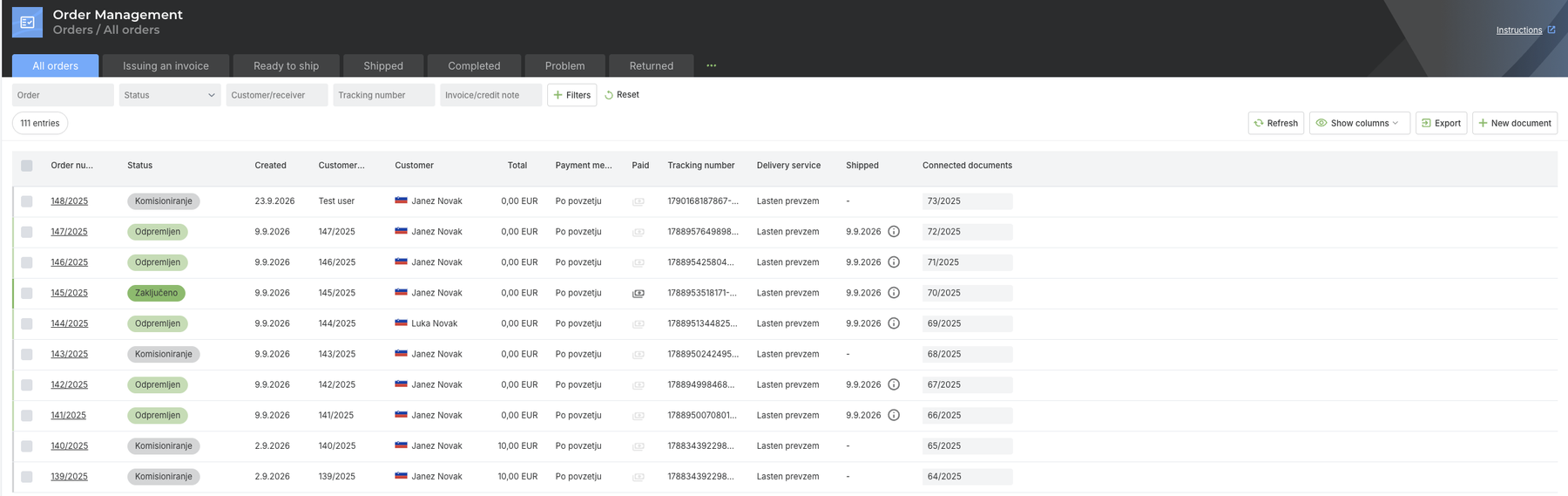
The same fact is in Order Management, in the Status column.
The feature is part of Order Management and shows most where orders are picked with the Fulfillment App or with the scanner.
Instructions and further information:
Order status on picking (in Slovenian) · Creating a picking list when labels are printed (in Slovenian) · Picking in the scanner · Dispatch in the Fulfillment App
Warehouse and orders in one system
In the Fulfillment App picking, dispatch and order statuses are in one place.
| Try it |
Successful business,
The MetaKocka Team
Would you like to be informed about new features and improvements?