
 Fulfillment App
Standard services for billing
Billing in Fulfillment App calculates quantities only for a fixed set of services. You can now see the whole list in the settings, with an explanation for each service.
TL;DR (In short)
- The list is under Settings, Billing, Standard services.
- A service that is not yet in your product catalog is added with Add to catalog.
- After that you add it to the merchant’s price list, and billing calculates it.
Why the list was added
New warehouses often created their own products for services such as storage or receiving and added them to price lists. Billing did not recognise those products, so they did not appear on the billing statement. Billing calculates quantities only for the services it knows, and that list is now visible in the application.
Where to find the services
Open Settings, then Billing, and the Standard services tab. For each service you see the group, the code, the name and an explanation of how billing calculates the quantity. The In catalog column shows whether the service is already in your product catalog, and Catalog product shows which product it is linked to. You can filter by group or by whether the service is in the catalog.
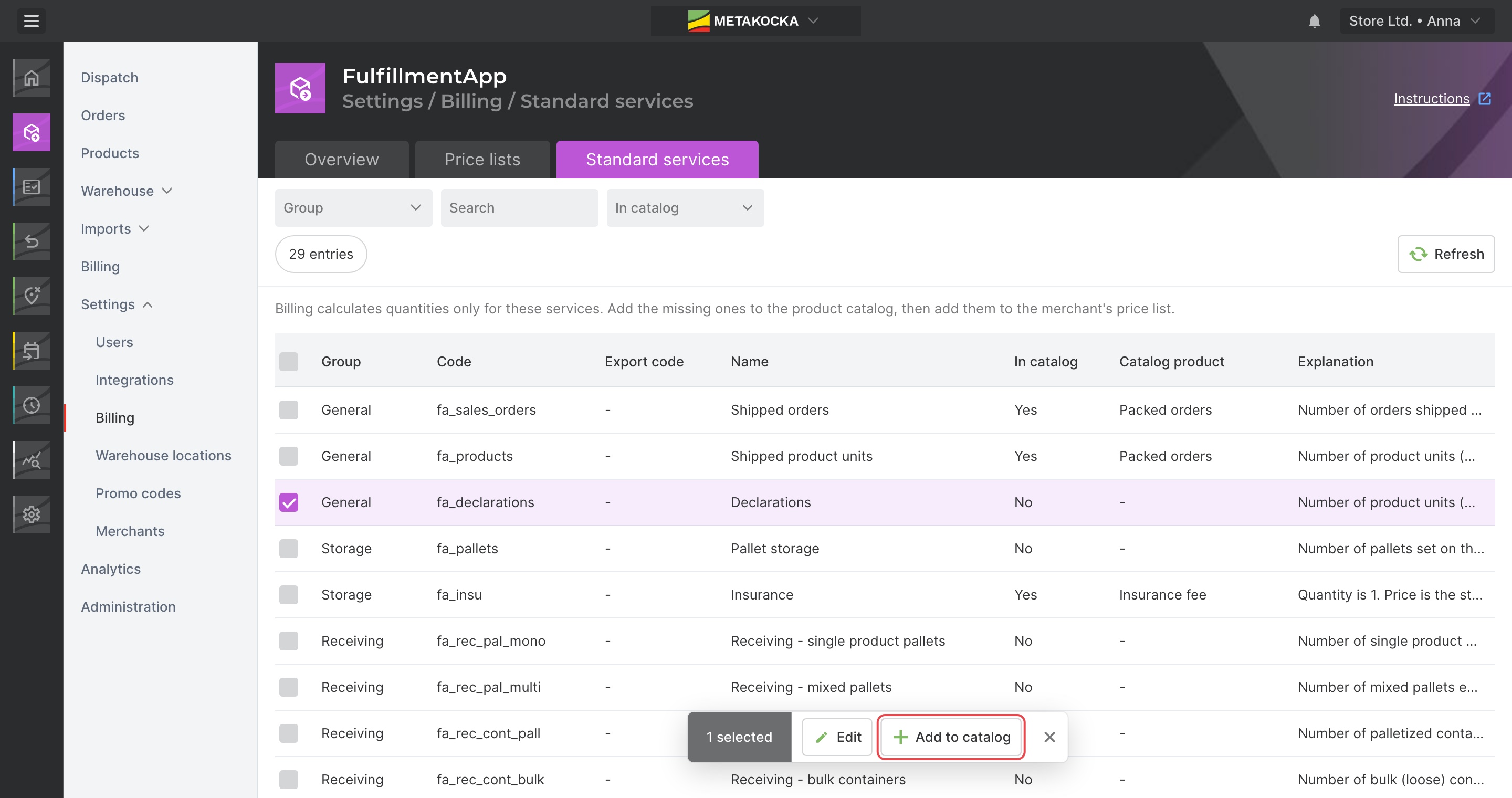
Part of the list. Declarations are not yet in the catalog, so they can be added with Add to catalog.
From the catalog to the price list
Select the services you charge for and click Add to catalog. Fulfillment App creates the products, so you no longer have to leave the application to do it. Then add them to the price list of each merchant with the price you agreed on.
On the billing statement, standard services have an info icon next to the code. When you point to it, the explanation from the list is shown, so it is clear what the quantity is based on.
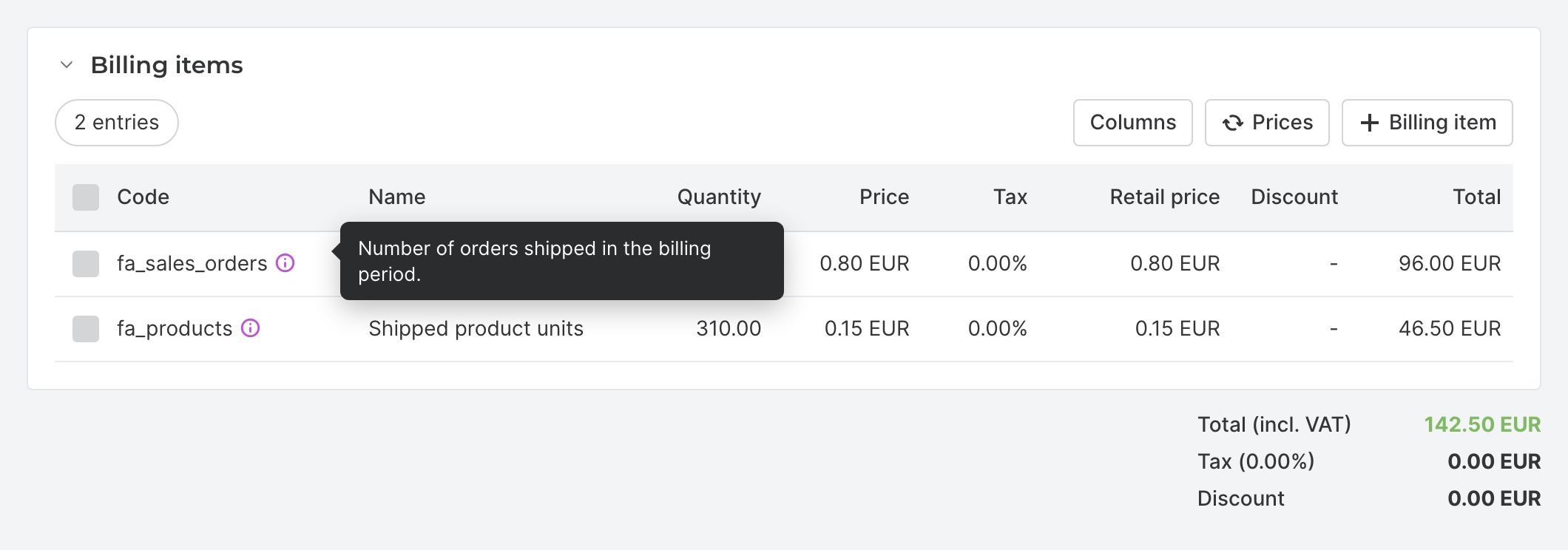
Billing items with the explanation for shipped orders. The quantities and prices are sample data.
The list currently has 29 services, and new ones will be added. The standard services are available to all Fulfillment App users.
Instructions and more information:
MetaKocka support · Fulfillment App
Is your warehouse still running on notes and phone calls?
Meet Fulfillment App and keep receiving, picking and dispatch in one application.
| Try it out |
Wishing you business success,
MetaKocka Team
Would you like to be informed about news and optimizations?