
 Fulfillment App
Change the delivery service on all selected orders at once
In Fulfillment App, tick the orders that need rerouting and give them a different delivery service in a single step.
TL;DR (In short)
- You can change the delivery service on one order or on all selected orders at once.
- The action sits in the toolbar for selected orders, under the button More.
- Before you confirm, a window tells you how many orders will change.
- The dropdown lists every delivery service you have set up.
Thirty orders and one carrier that is not driving today
Changing the delivery service is never planned work. It comes up when a carrier says it is not coming today, when the webshop assigns orders a service that is wrong for that country, or when you miss the last pickup and the parcels need another route.
Until now the only way was to open every order, change the service and close it again. With five orders that takes a few minutes; with thirty it eats a morning, and every order is one more place to mistype something. So now you set the service for the orders together.
How it works
In the order list, tick the orders that need rerouting. A toolbar appears at the bottom with the number of selected orders, and under the button More you will find Delivery service.
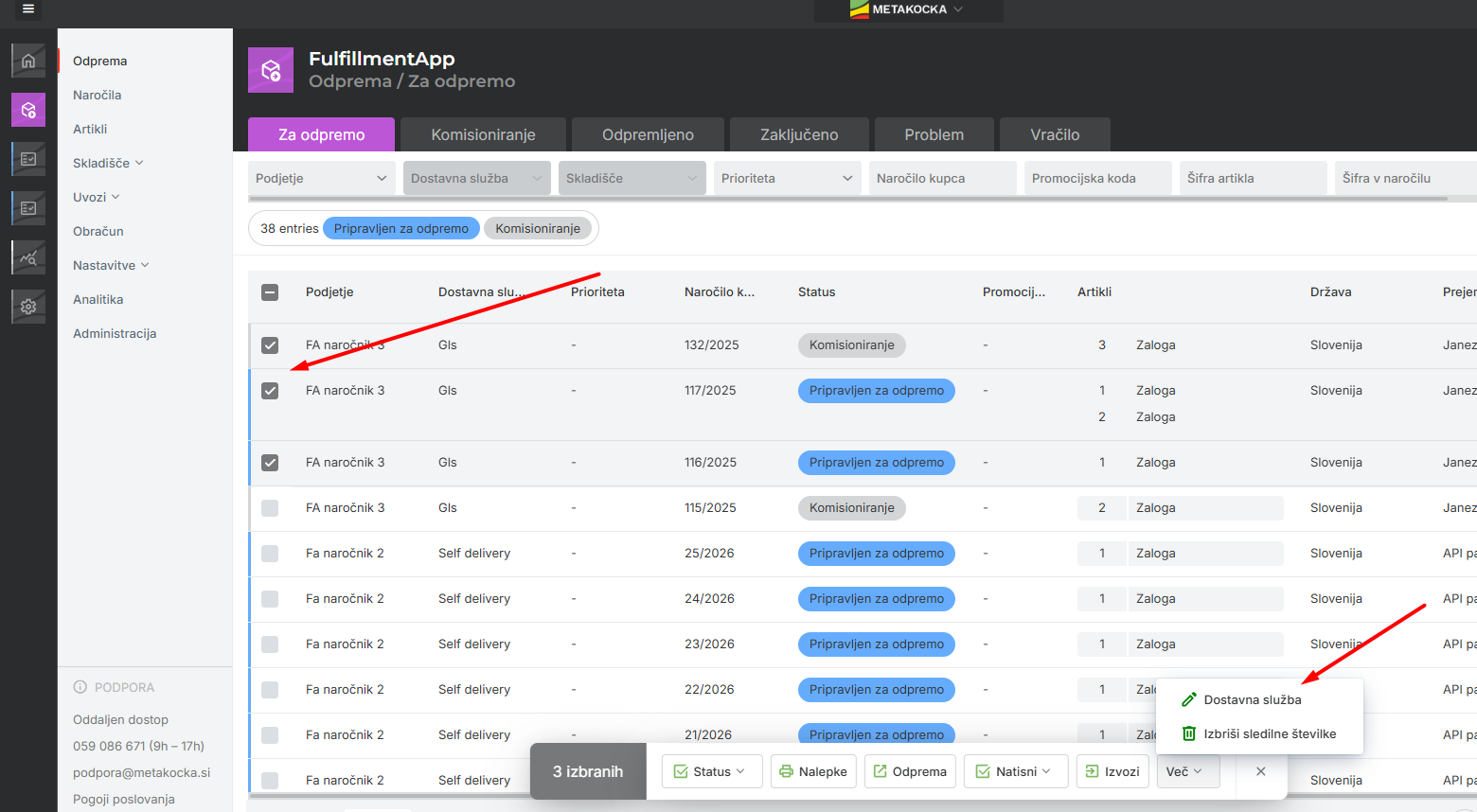
The ticks say which orders the change touches, and the action is under the More button.
This opens the Change of delivery servicewindow, which first tells you how many orders will change and offers a dropdown with every delivery service you have set up. Pick a service, confirm, and all ticked orders get it.
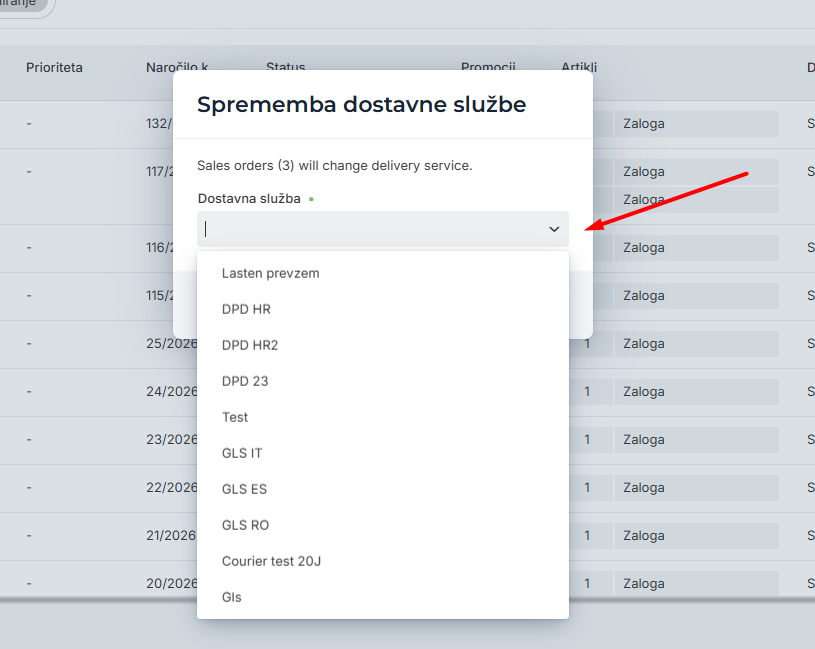
The number in brackets is the last check before you confirm.
Check the number in brackets before you confirm. If it is higher than you expect, the list still holds an order you ticked earlier and forgot to untick.
Where it shows the most
- The carrier is not driving today. A strike, a public holiday in another country or a cancelled pickup: the parcels move to another service and you reroute them in one step.
- The wrong service from an import. When the webshop assigns orders a default service that is wrong for that destination, you fix the whole batch together.
- Work for several clients. In a warehouse that packs for several clients, one client’s orders are filtered and rerouted without touching the rest.
- Seasonal peaks. In November, when there are half as many orders again, carrier delays are more frequent and so is rerouting.
Instructions and more information:
MetaKocka support · Fulfillment App
Is your warehouse still running on notes and phone calls?
Meet Fulfillment App and keep receiving, picking and dispatch in one application.
| Try it out |
Wishing you business success,
MetaKocka Team
Would you like to be informed about news and optimizations?