
 Fulfillment App
New in Fulfillment App: Adding and Editing Items directly in the app
Say goodbye to switching between different programs. Now you can manage all item preparation, from EAN codes to dimensions and combinations with bundle packages, right within the warehouse interface.
⏱️ TL;DR (In short)
- No switching to the MetaKocka interface: You can add and edit items directly in the Fulfillment App warehouse interface.
- Full control over data: Enter basic details, EAN codes, packaging dimensions, and specific attributes.
- Bundle items: Connecting multiple items into bundles is now quick and easy.
- Higher speed and fewer errors: Goods receiving and warehouse location preparation run continuously, without switching between interfaces.
Faster Warehouse Processes Without Excess Administration
In a fast-paced warehouse environment, every second counts. When a new shipment of goods arrives that is not yet entered into the system, the previous workflow required the worker to stop work in the warehouse app and log into the main MetaKocka administration, where they manually created items, which slowed down the process and increased the chance of errors.
With the latest update, we have completely eliminated this step. The new feature enables complete management of the item database directly inside the Fulfillment App.
Why is this data critical directly in the warehouse?
Accurate dimensions (length, width, height) and weight of items are the basis for correct postage calculation and choosing the optimal packaging during packing. By entering this data directly upon receiving the goods, you ensure automation and a smooth process for dispatching orders.
New Workflow in the Fulfillment App
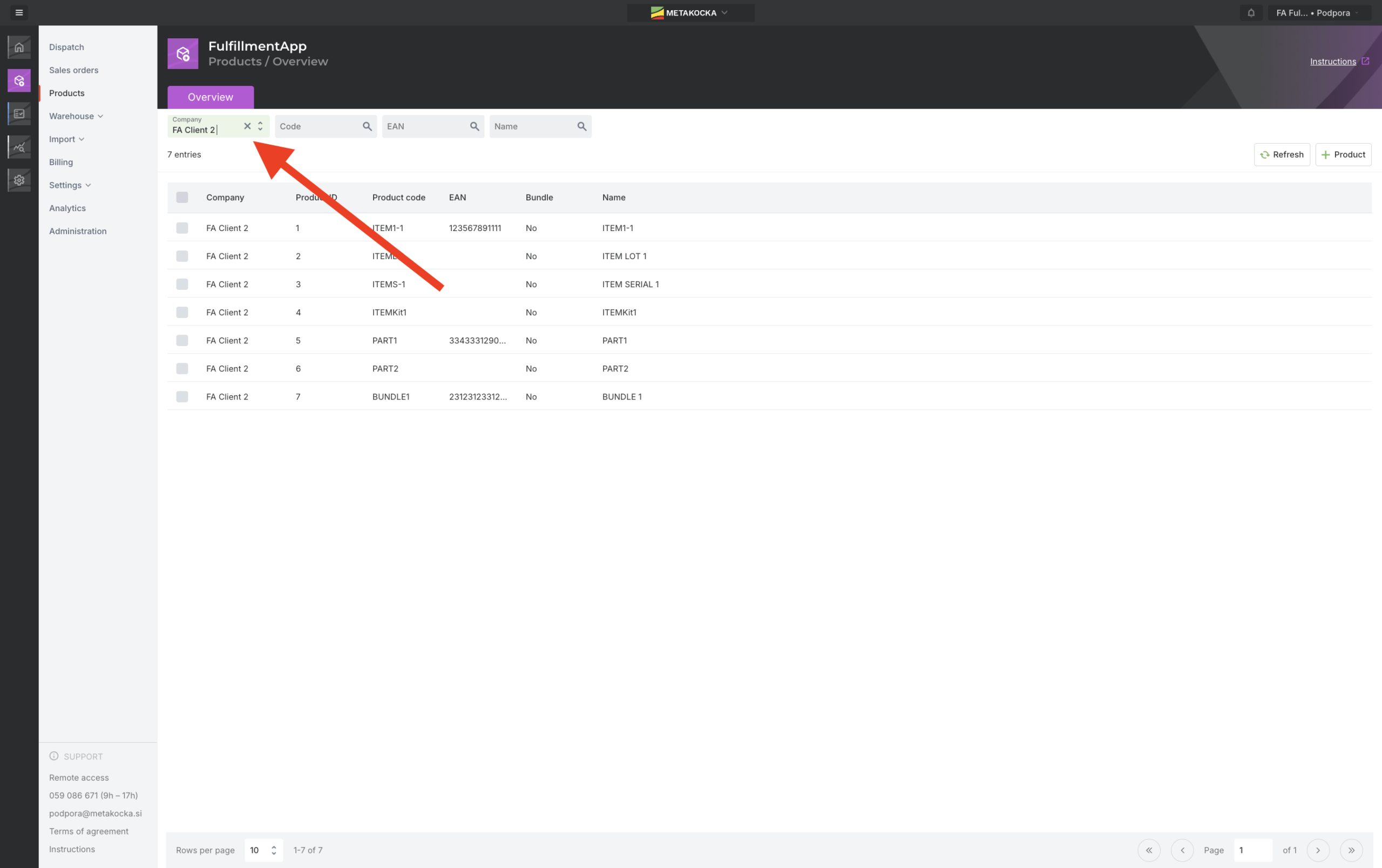
1. Central Item Overview
The interface offers a clear list of all items with displayed codes, EAN numbers, names, and other key details for easier identification on warehouse shelves.
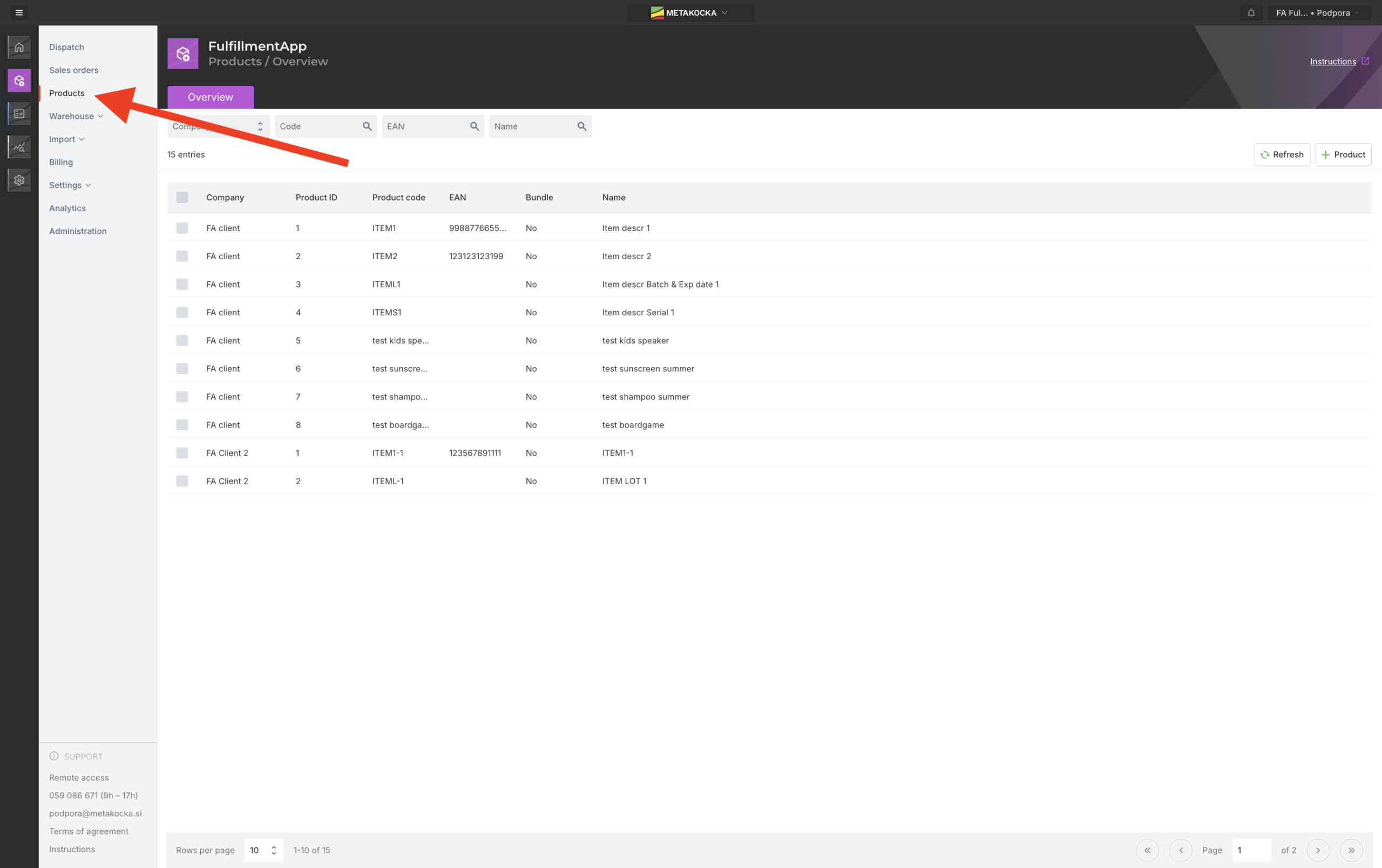
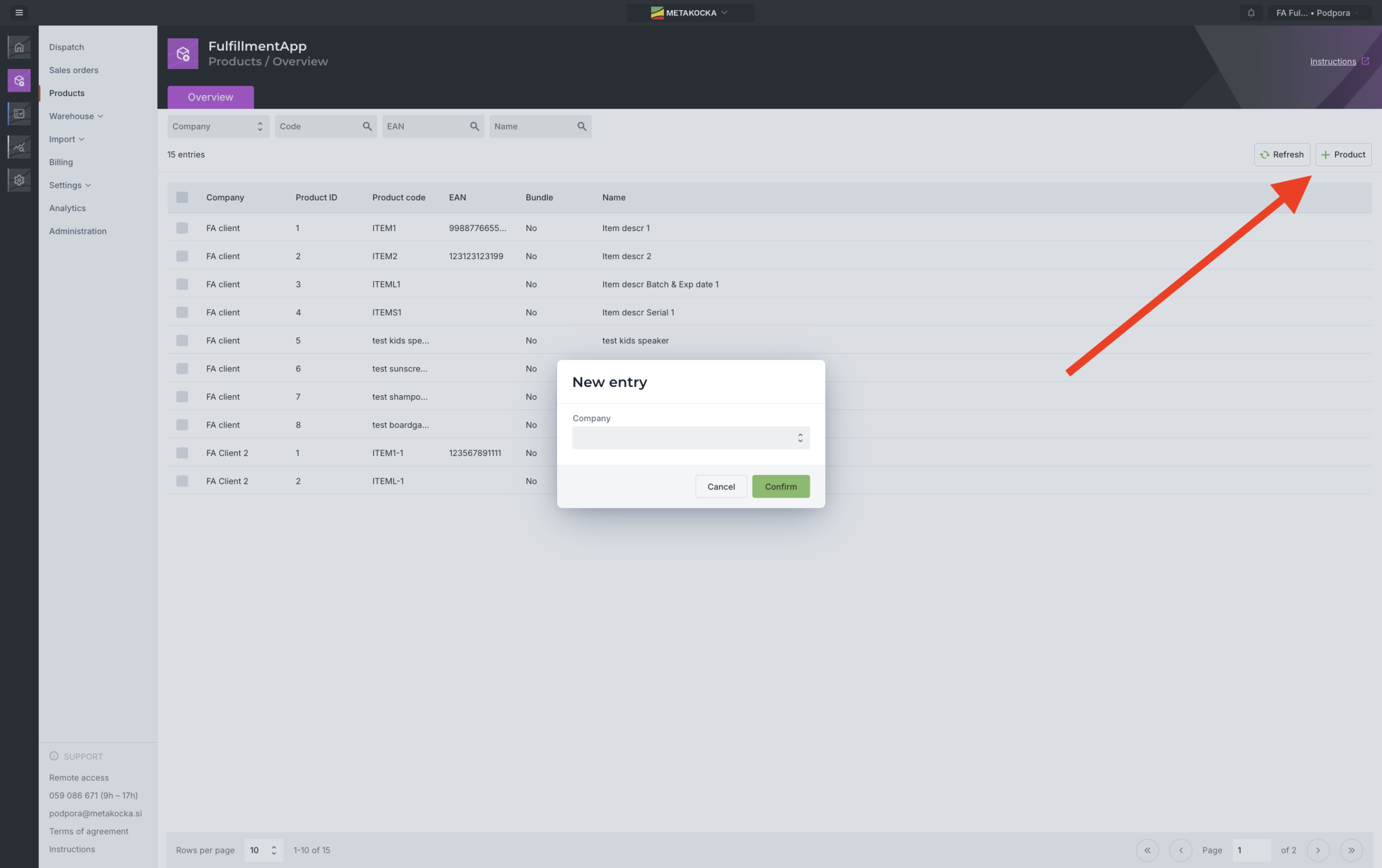
2. Quick Add via “+ Product” Button
With the button in the upper right corner, the form for adding a new item opens instantly without leaving the grid.
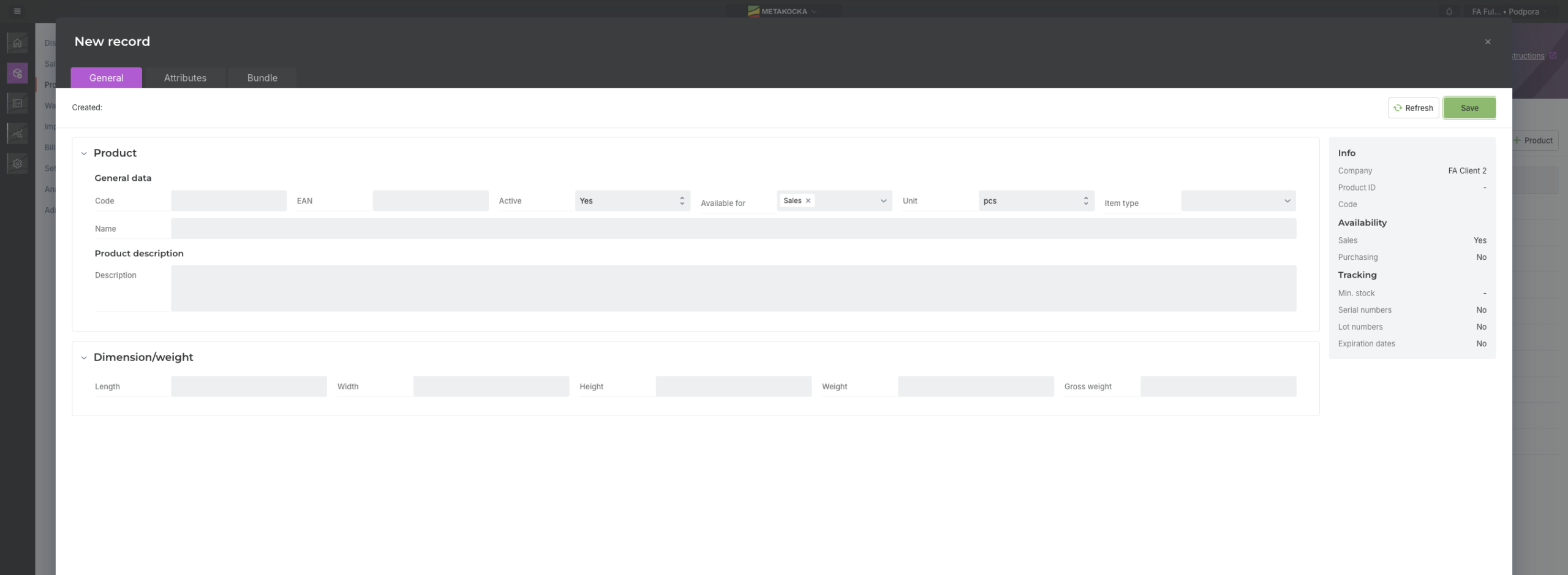
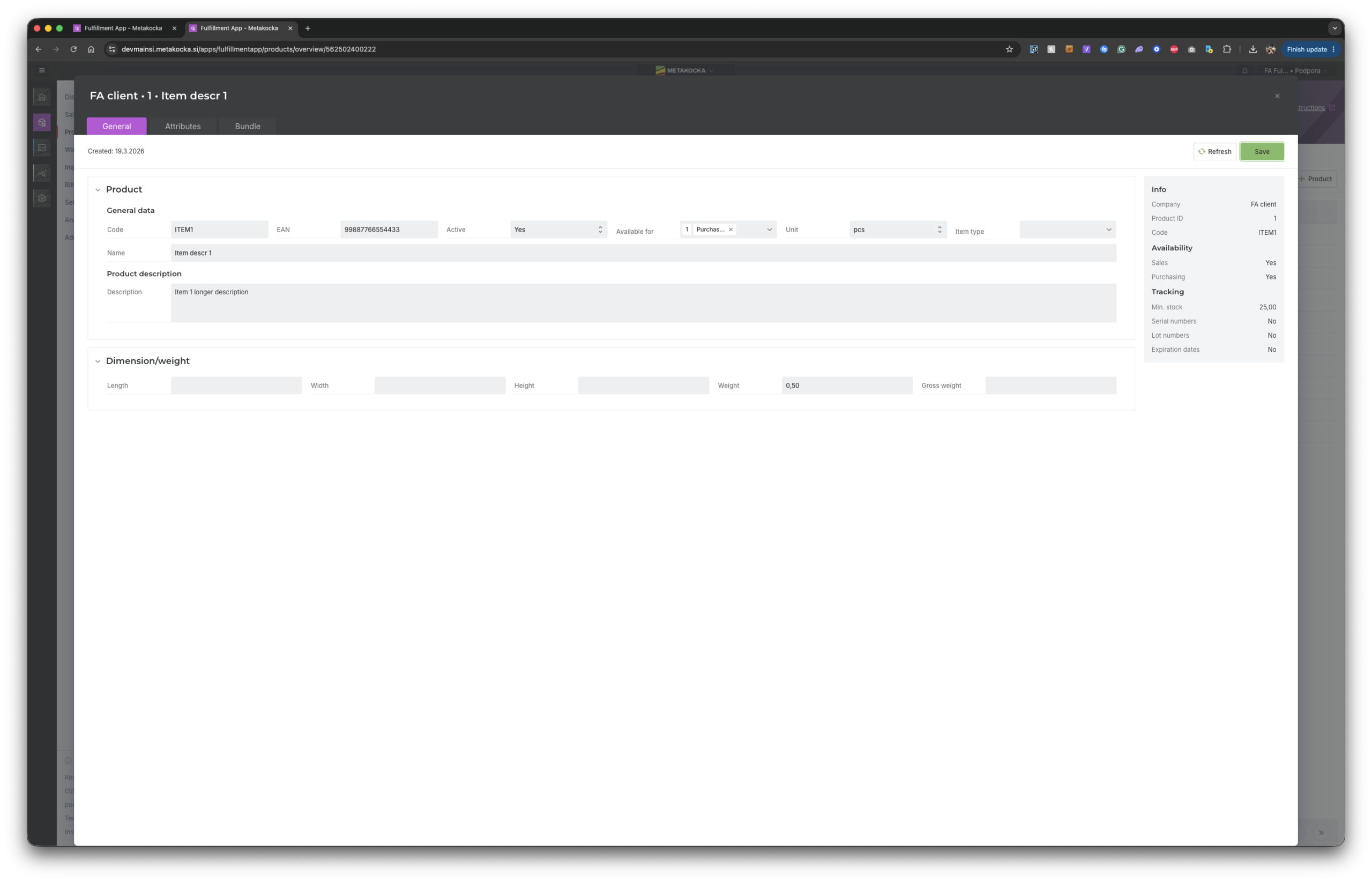
3. Entering General Data
In the “General” tab, enter the item code, name, EAN barcode, weight, supplier, and define settings for managing serial numbers or lots.
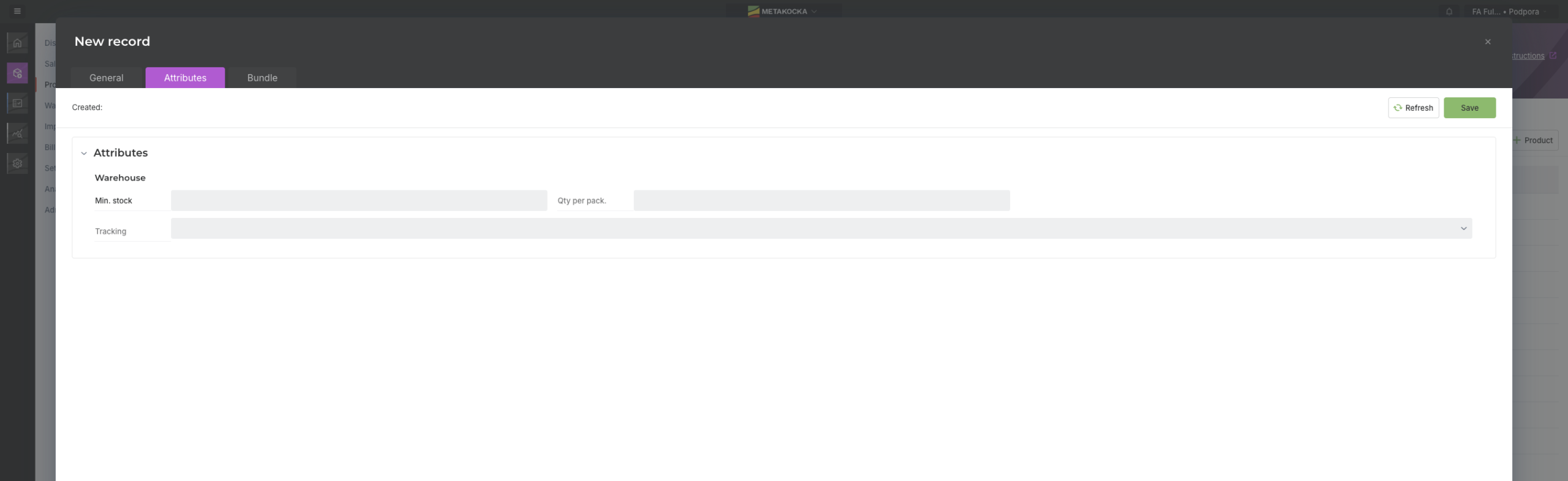
4. Properties and Dimensions (Attributes)
In the “Attributes” tab, precisely define the physical dimensions of the item (length, width, height) for optimal volume calculation and packaging preparation.
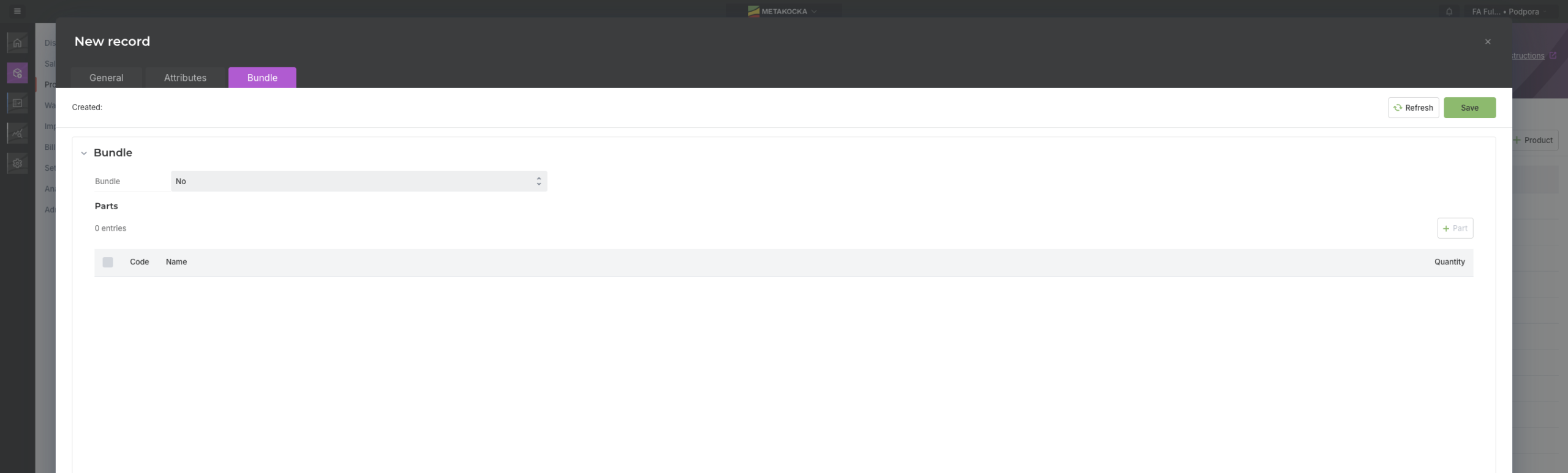
5. Creating Composite Packages (Bundle)
If the item represents a sales set or a package of multiple products, you can directly define and link its components and quantities in the “Bundle” tab.
6. Advanced Filtering
Powerful filters allow quick searching by supplier, active status, or specific keywords, making it easier to work in larger databases.
7. Quick Detail Editing
With a simple click on the edit button, you can update any field on the item at any time – without the need to open external tools or MetaKocka.
Want to speed up work in your warehouse?
Try the new functionality of directly adding and editing items and optimize every goods receiving process.
| Get in touch with us |
Wishing you business success,
MetaKocka Team
Would you like to be informed about news and optimizations?