
 Order Management
New in Order Management: Sales Order Attachments
All documentation accompanying an order — from delivery confirmations to invoices from external systems — now in one place, directly within the system.
⏱️ TL;DR (In short)
- There is a new “Attachments” tab on sales orders in Order Management.
- Add, view and delete files with just a few clicks, without switching between programs.
- Your entire team — from sales to the warehouse — has instant access to all order documentation.
When processing online orders daily, preparing invoices and dispatching packages, every second counts. To save you from switching between email, external programs and folders on your computer, we have added a new practical feature to the system: working with attachments directly on each order.
You can now add new files, browse existing ones or simply delete those you no longer need — all with just a few clicks within the same window.
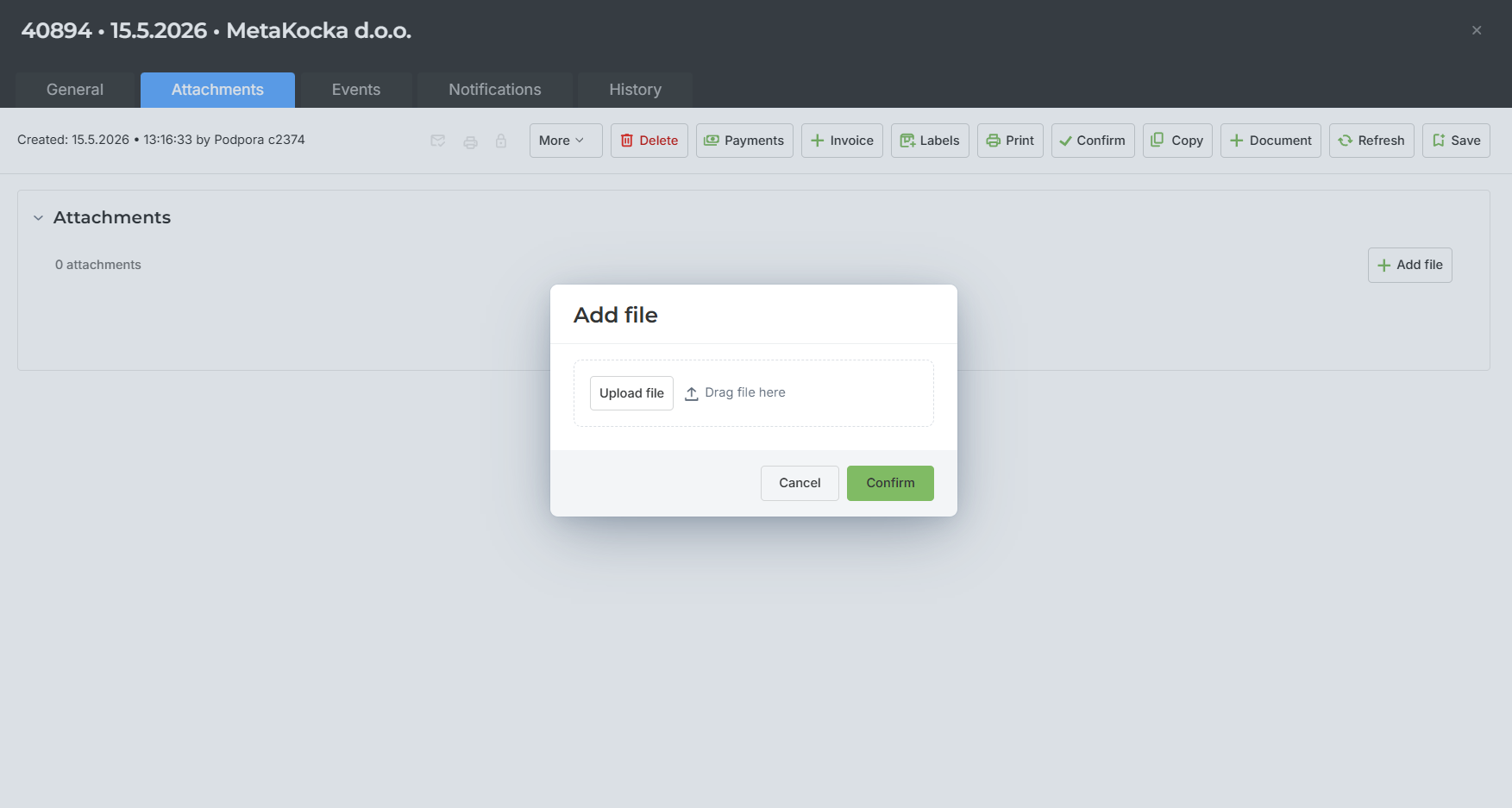
How can you use this feature in practice?
This functionality is designed to adapt to your workflow. Here are some everyday use cases:
|
📎
|
Delivery and pickup confirmationsWhen the courier returns a signed delivery note or when you receive a photo of a damaged package, you can immediately attach it to the relevant order. This way, the proof is always at your fingertips. |
|
📄
|
Reviewing invoices from external systemsIf you generate invoices elsewhere, you can now simply import them and attach them to the order. Anyone who opens the order will have instant access to them. |
|
✉️
|
Email attachments in one placeAll files that the customer sends at the time of purchase or subsequently via email (e.g. proof of payment, special requests) can now be securely stored directly in the system. |
Fast, clear and without unnecessary clicking
Adding files works directly from your device. If anything changes during the processing workflow, you can easily delete incorrect documents and replace them with new ones. With this update, we want to achieve one thing above all: that your team (from sales to the warehouse) has the full picture of the order at every moment. Less searching means faster dispatched packages and fewer administrative errors.
Try the new feature today
The feature is already available in your Order Management. Open any sales order, click the Attachments tab and start adding files.
| Open Order Management |
Wishing you business success,
MetaKocka Team
Would you like to be informed about news and optimizations?