
 Fulfillment App
New in Fulfillment App: automatic packaging recording directly at dispatch
Forget about manual recording and subsequent transcription of used packing materials. Now you can specify packaging directly during the packing process on the mobile scanner or in the desktop application, and the data will be automatically transferred to service billing.
⏱️ TL;DR (In short)
- Complete billing automation: Used packing material (boxes, pallets, envelopes) is recorded directly at dispatch and automatically billed.
- Selection during packing (MWA): The warehouse worker selects the appropriate packaging when confirming the order on the mobile scanner.
- Subsequent editing (FA): In the desktop interface, under the “Shipped” tab, you can easily assign or correct the packaging for packed orders.
- Simple initial setup: In MetaKocka, prepare items for packaging, connect them to the price list, and define a set of allowed boxes for each customer.
An end to manual transcription and forgotten costs
For every fulfillment provider, accurate billing of packing material is crucial to maintaining profitability. Cardboard boxes, cushioning, envelopes, and pallets represent a significant cost, which until now was often recorded manually on paper or in Excel spreadsheets. At the end of the month, this led to time-consuming reconciliation and occasional losses due to undocumented packaging.
With the new functionality in the Fulfillment App, we have fully integrated this process into warehouse operations. Every box a warehouse worker uses is recorded in the system with a single click, and the information is immediately available for the monthly billing.
Connection with packaging stock
Since packaging in MetaKocka is defined as a regular item (Product), the system does not only ensure correct and automatic billing to customers, but you can also use it to establish precise tracking of your packaging warehouse stock. When a warehouse worker uses a box, the stock of that box in your warehouse is automatically reduced.
1. Daily Warehouse Workflow
Let’s first take a look at how the new functionality works in practice during daily warehouse operations.
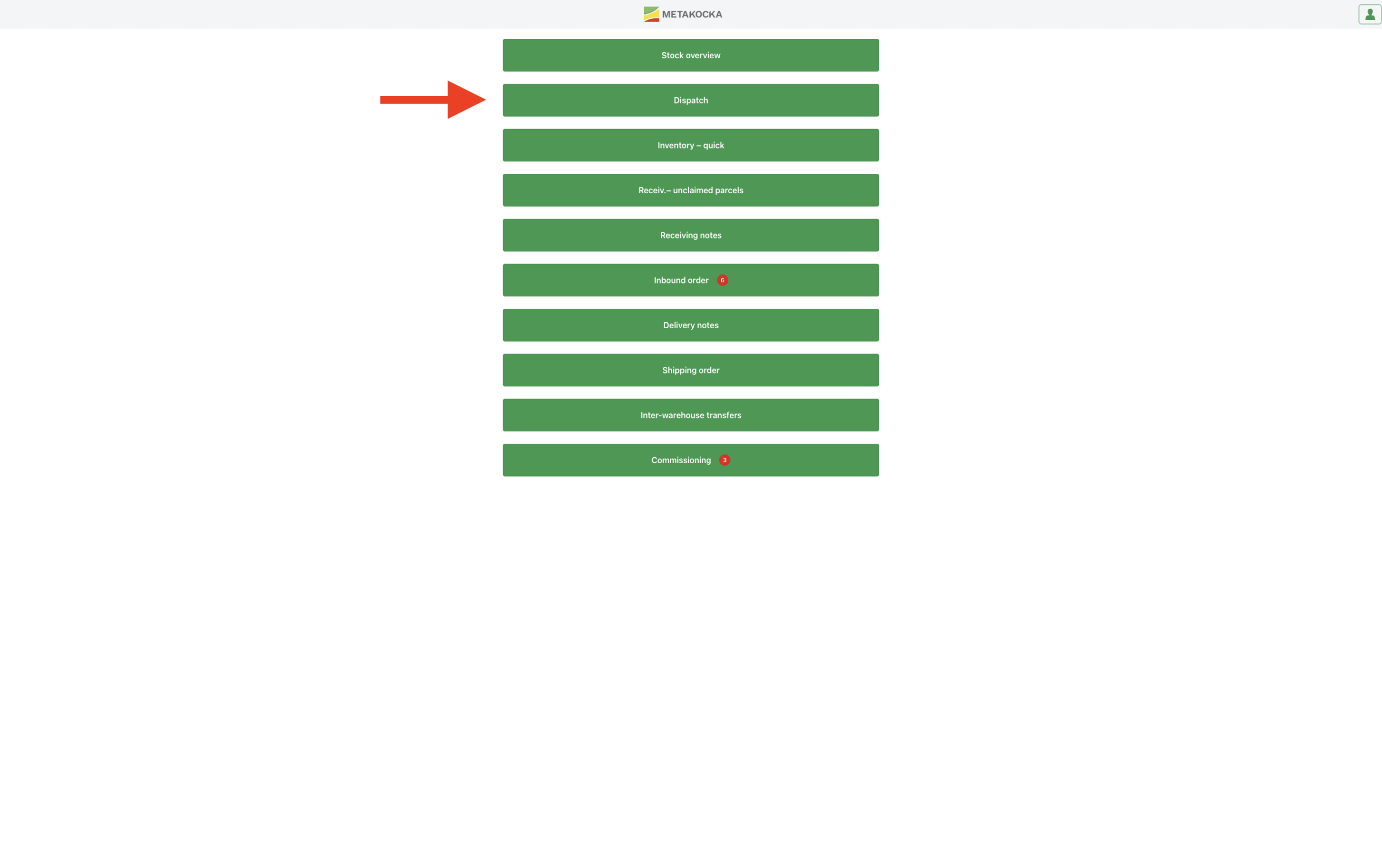
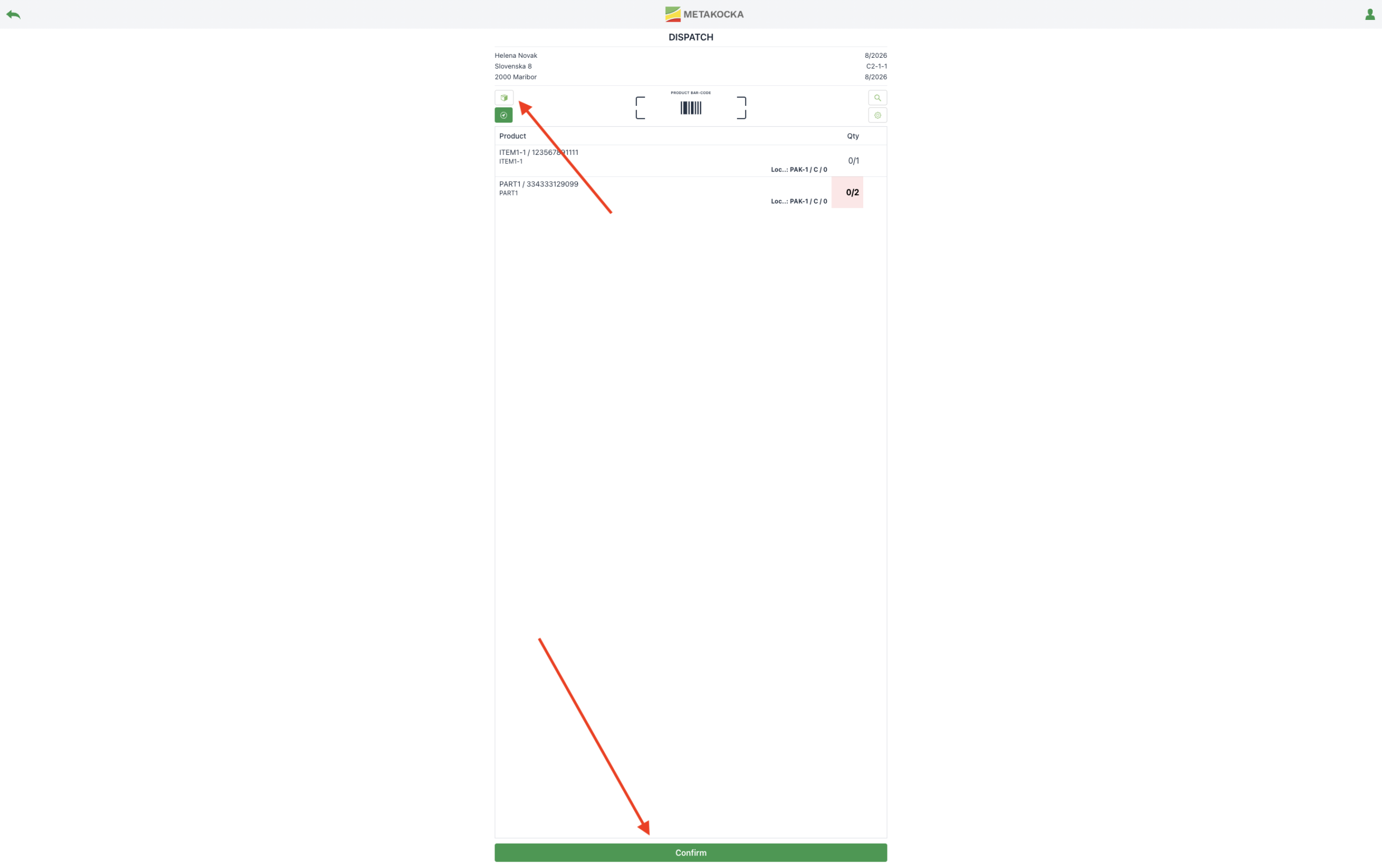
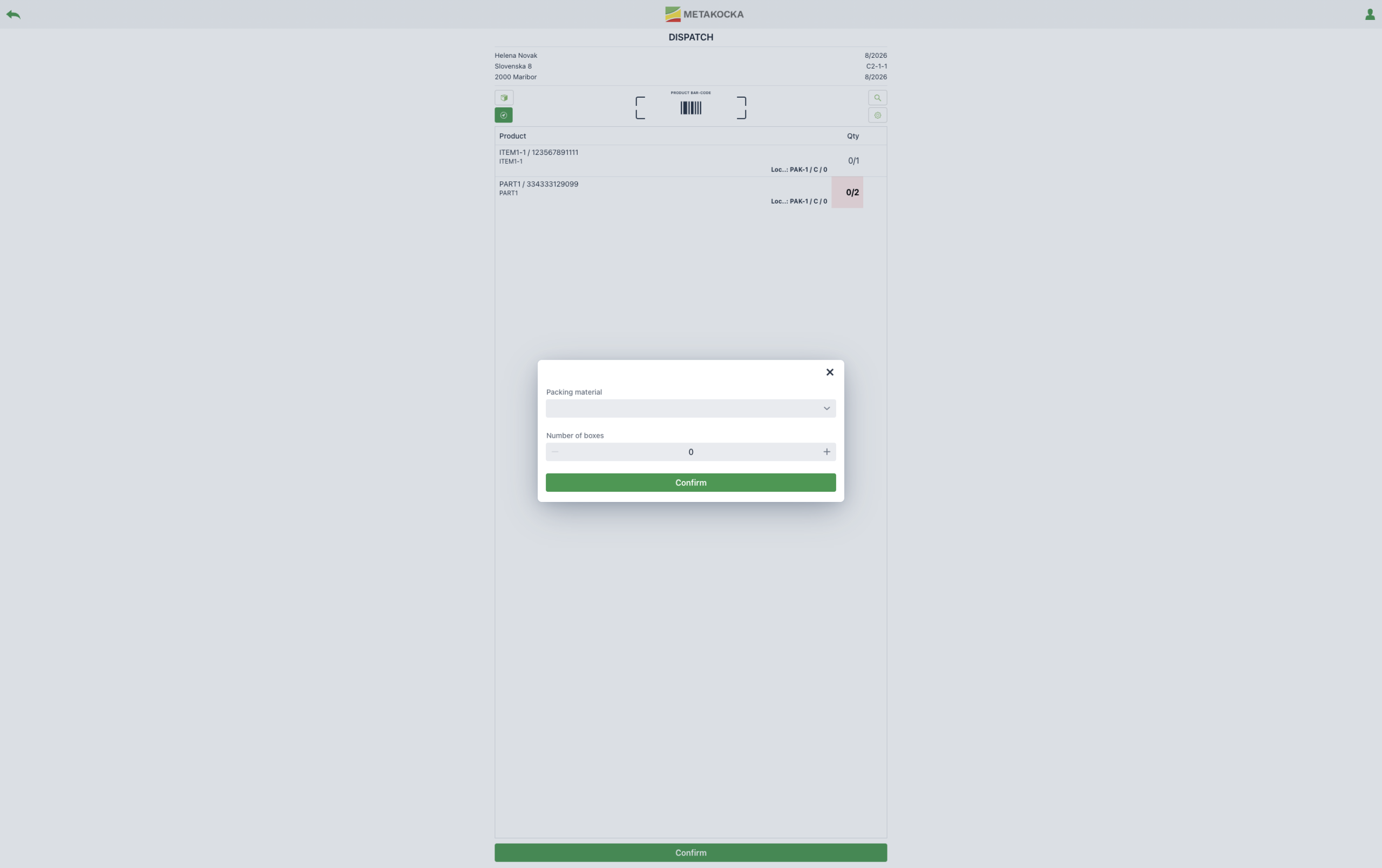
Selecting packaging on the mobile scanner (MWA)
When a warehouse worker confirms order packing on the mobile scanner, the system automatically prompts them to select the packaging (Packing material). They select the appropriate box or envelope from the list and confirm dispatch. This process takes only a fraction of a second for the worker.
Adding and editing packaging in the desktop application (FA)
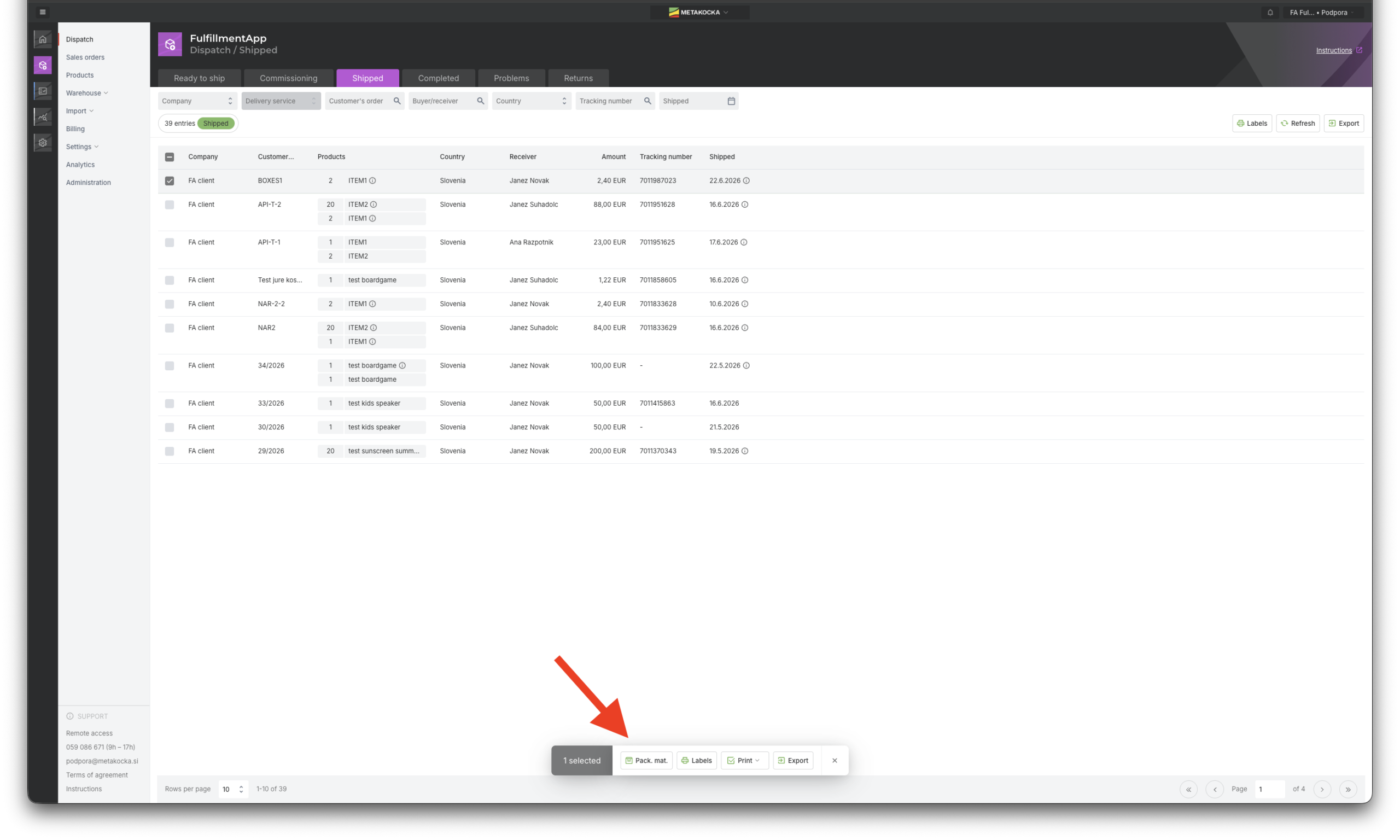
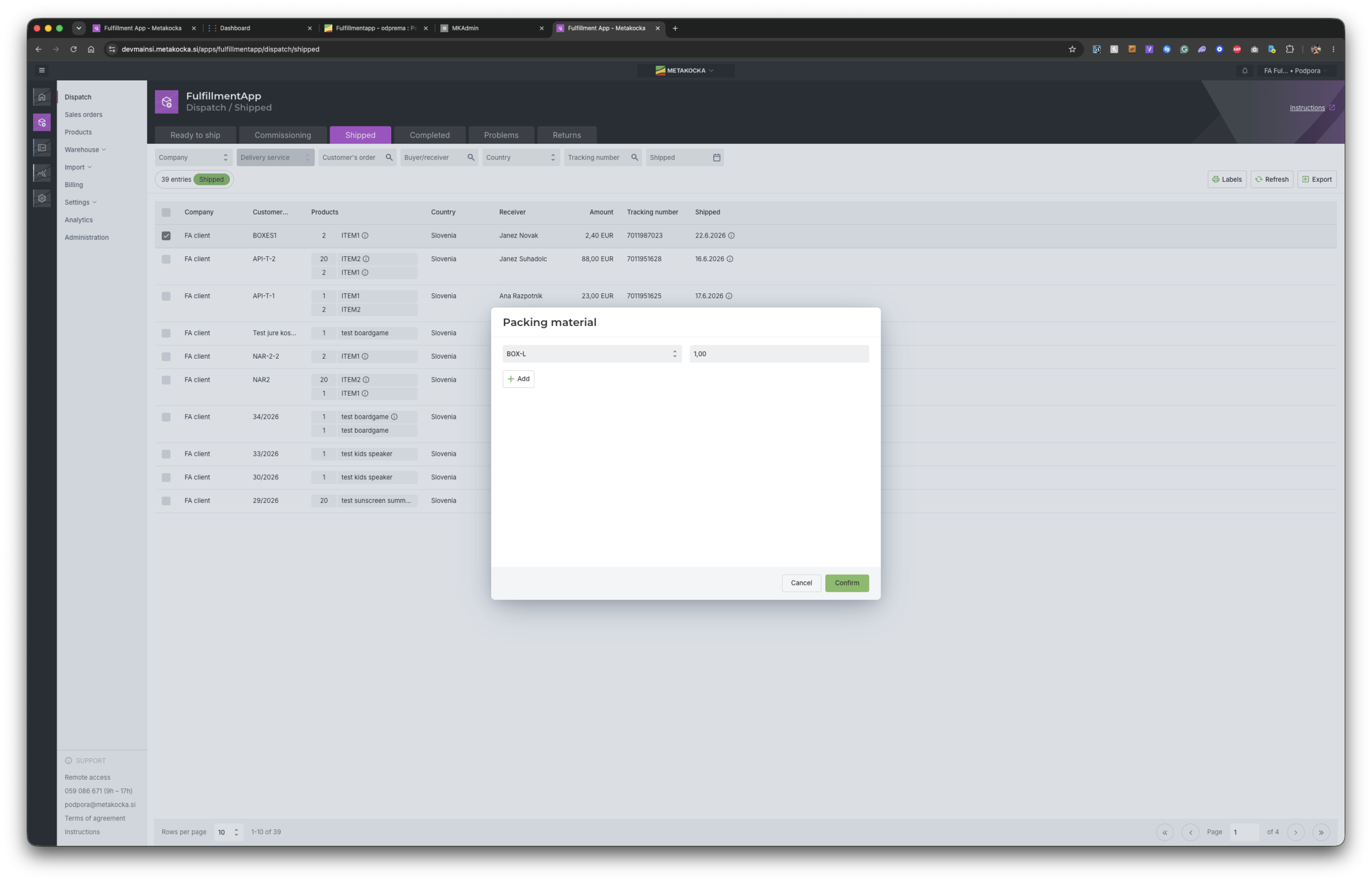
If an order was packed outside the usual workflow (bypassing the mobile scanner) or you want to correct the entered packaging, you can easily manage it in the desktop application under the Shipped tab. Simply select the order and add or modify the packing material at the bottom.
2. Settings and Prerequisites (Setup)
For automatic tracking to work, a few simple settings need to be configured in MetaKocka and the warehouse application beforehand.
Step 1: Preparing products in main MetaKocka
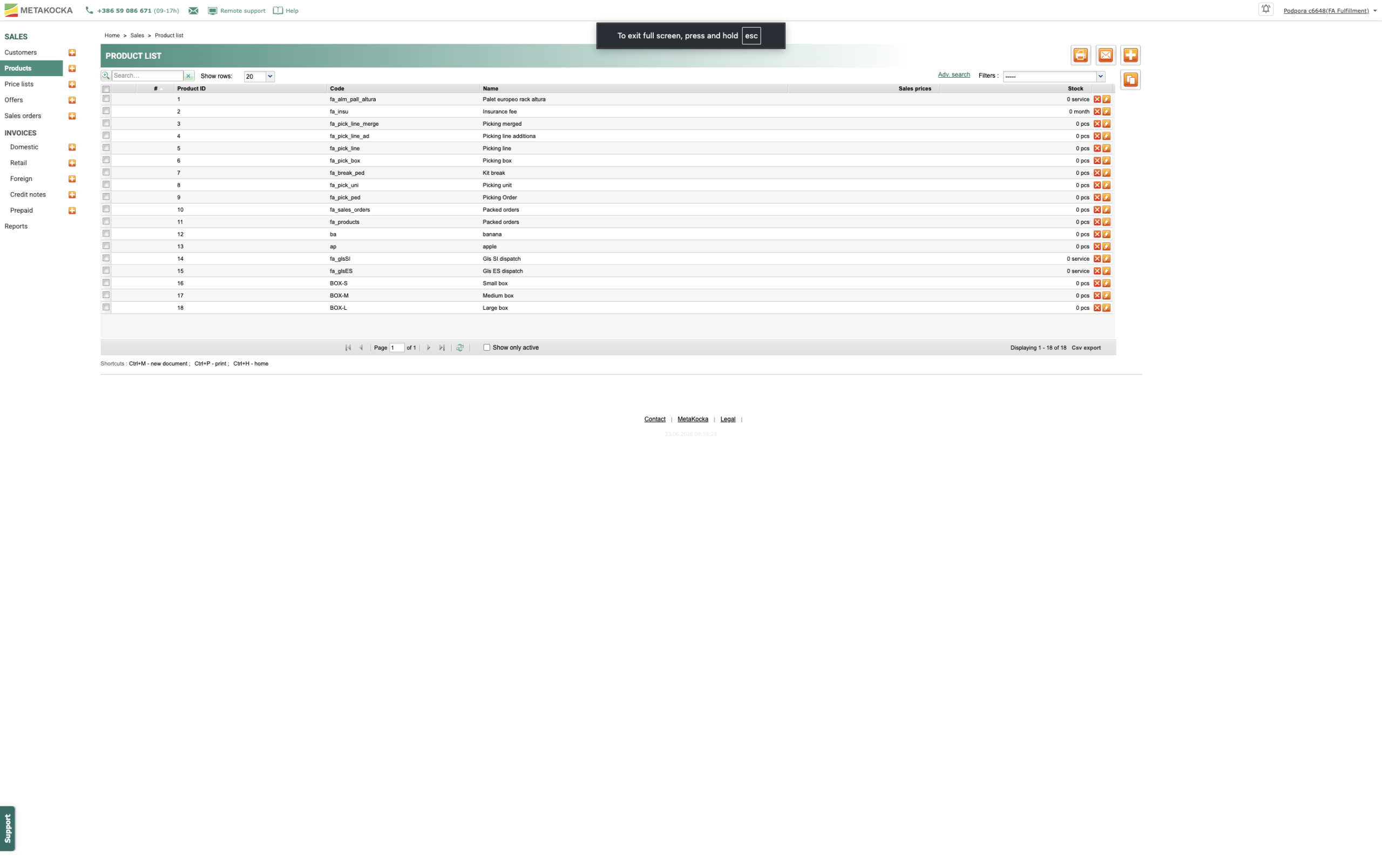
In the product register in your main MetaKocka, enter packaging as standalone products (e.g. Box S, Box M, Envelope, Pallet…).
Step 2: Price list setup
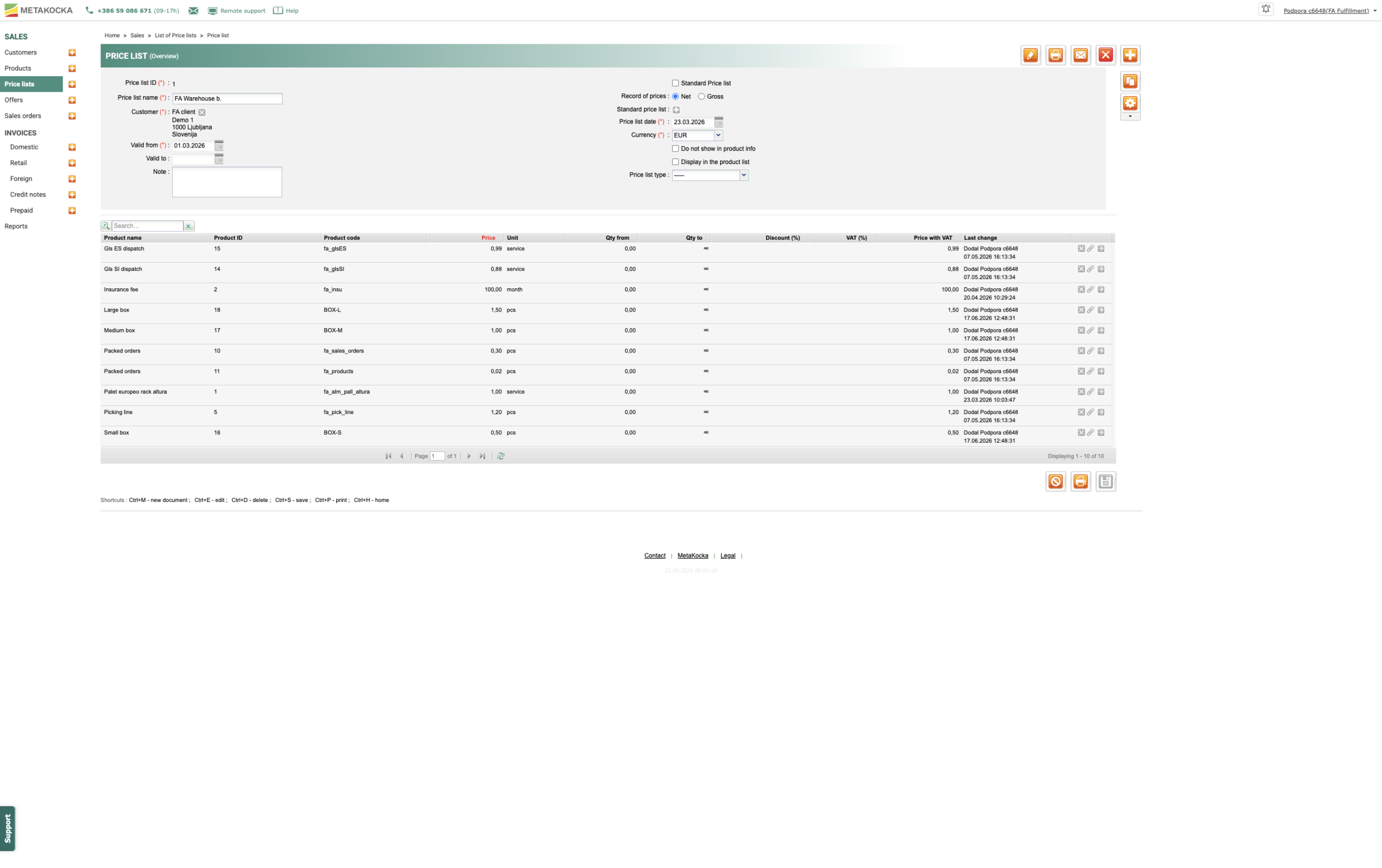
Enter packaging prices in the customer’s Price list. This way, MetaKocka will know exactly how much to bill for each unit used at the end of the month.
Step 3: Enabling the feature in mobile scanner (MWA) settings
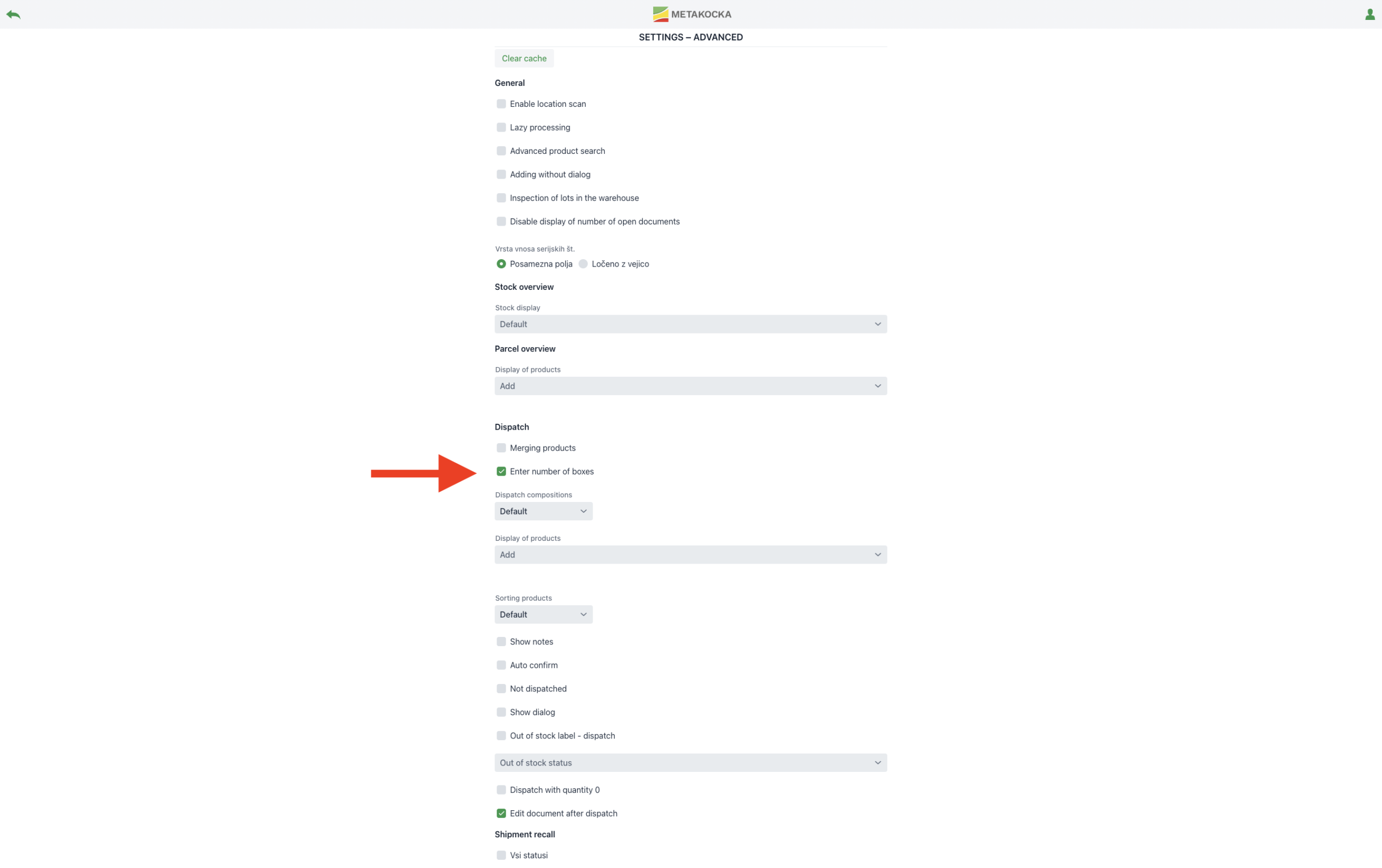
In the warehouse application, go to Settings -> MWA Settings and enable the option to select packing material upon dispatch (check the box to enable Boxes). This activates the packaging selection popup on the warehouse workers’ scanners.
Step 4: Assigning allowed packaging to the customer
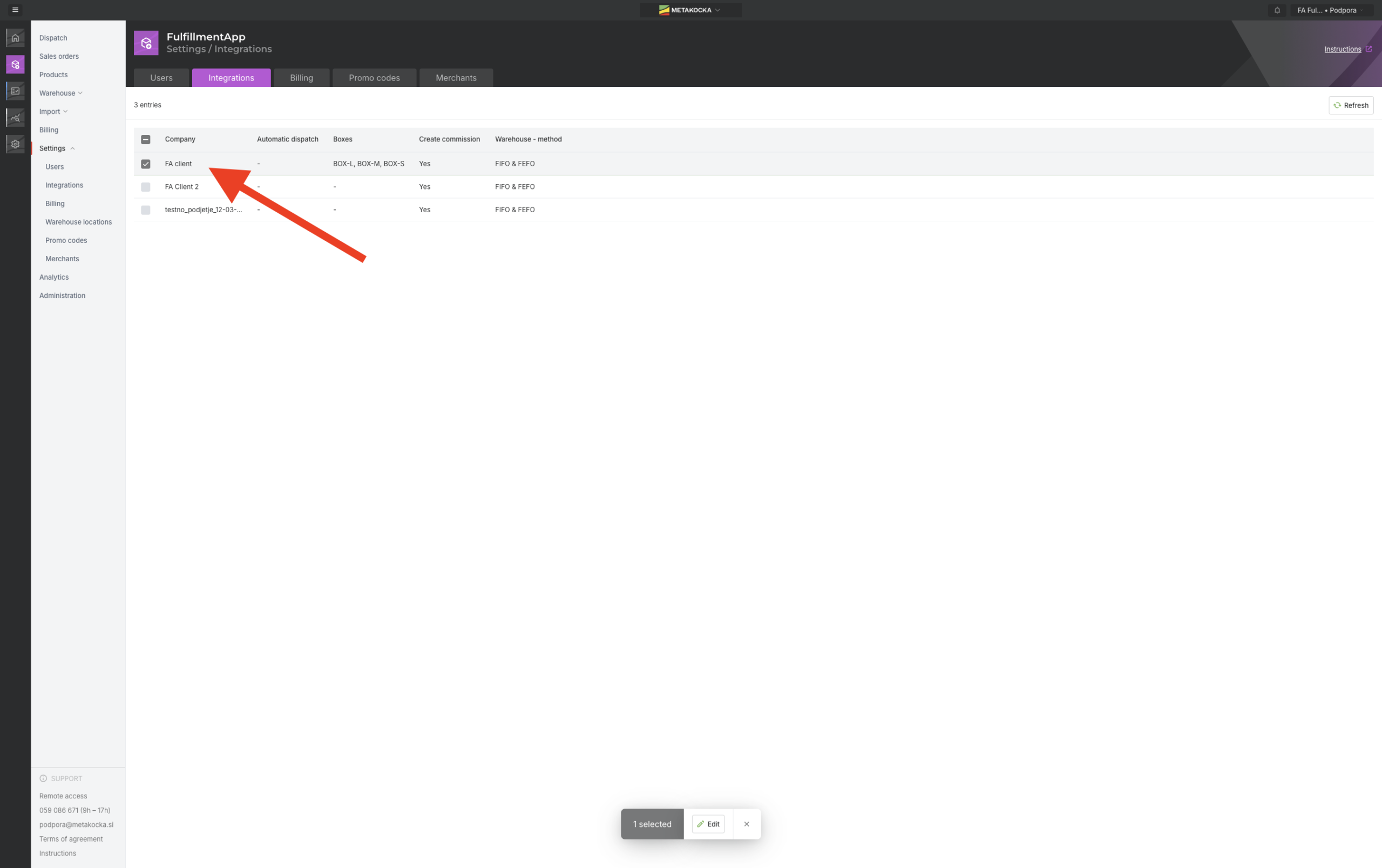
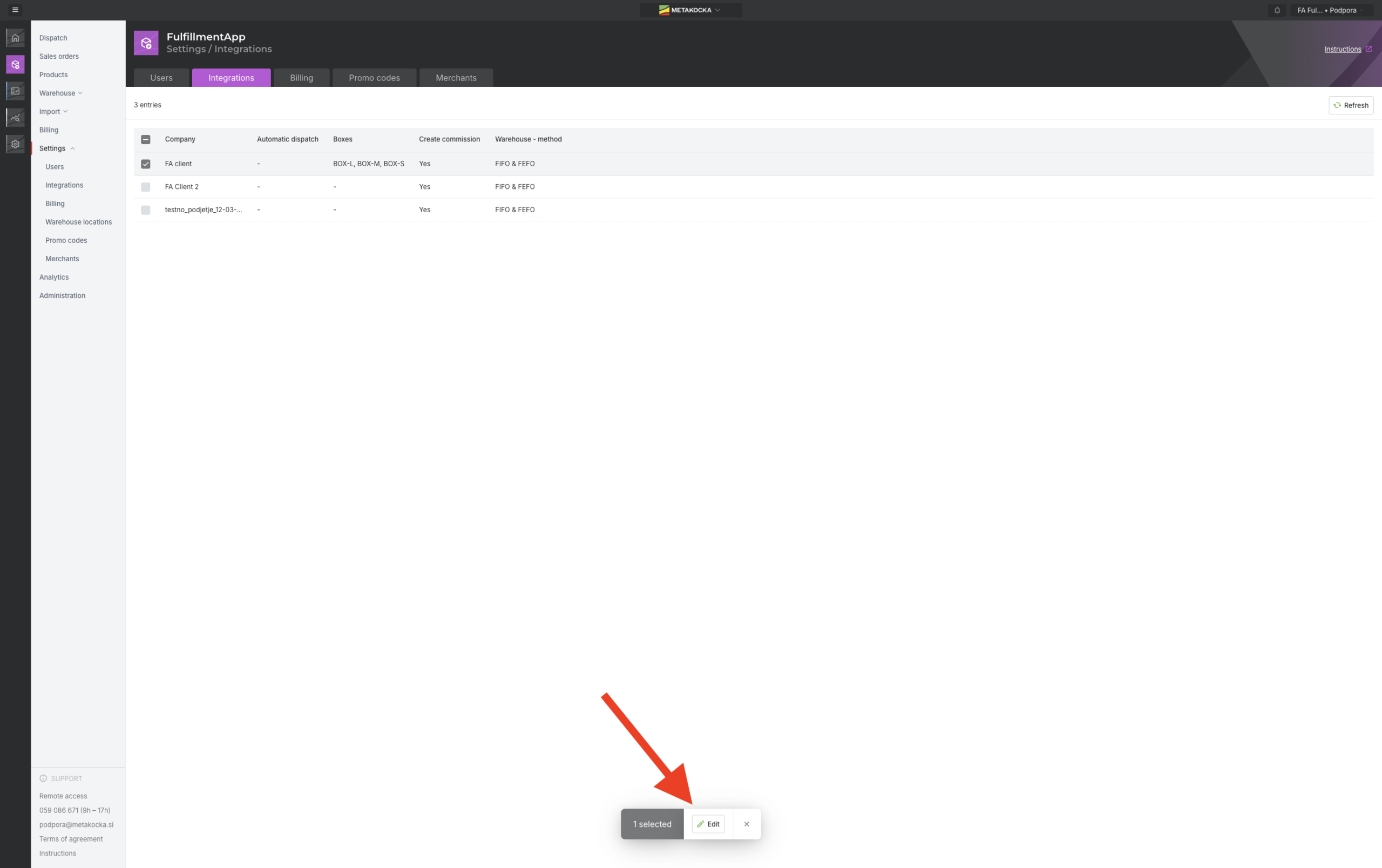
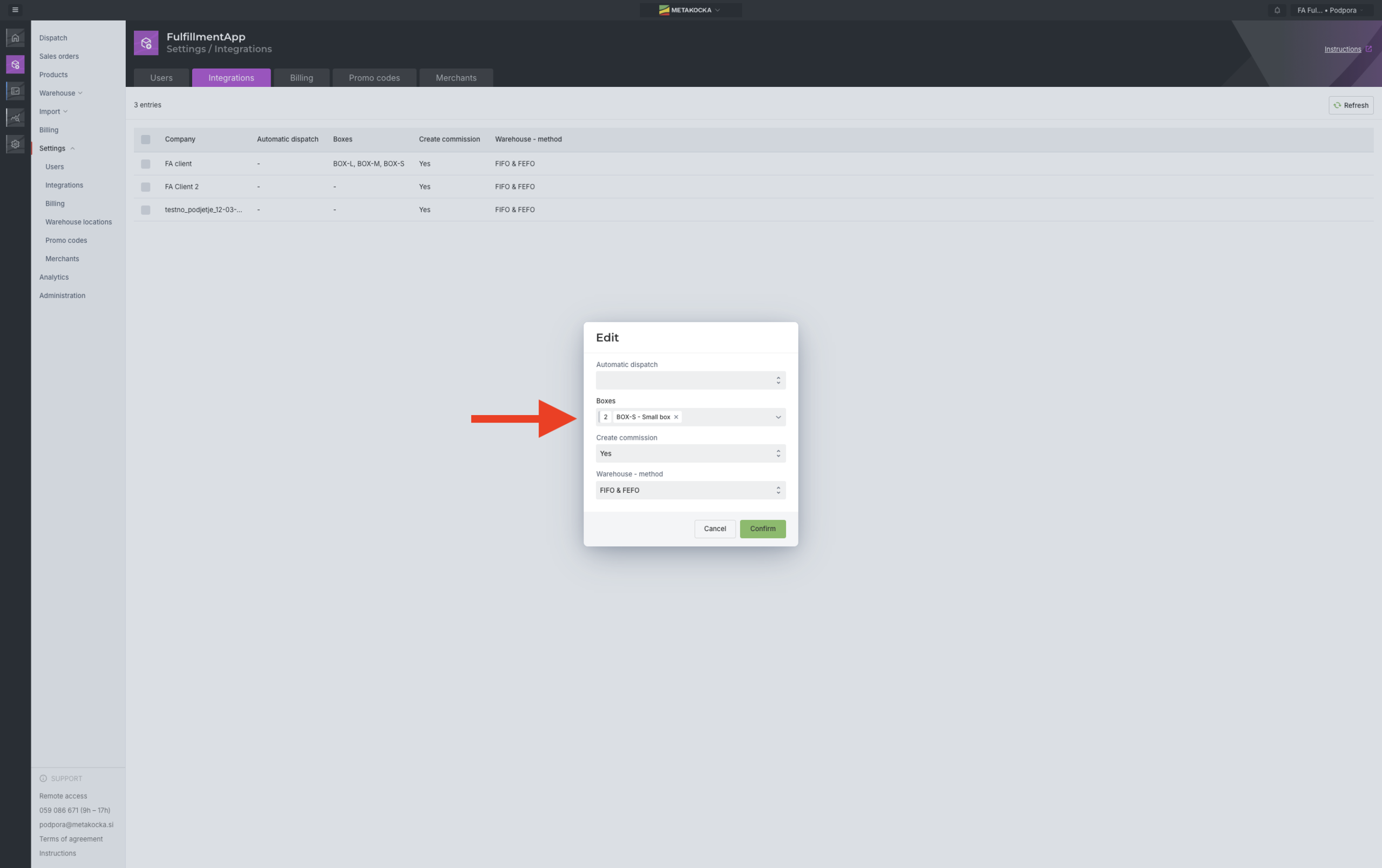
Select the correct customer in the application, go to Settings -> Integrations -> Edit Company and under the BOXES section select which boxes and packaging are intended for this customer. This ensures that warehouse workers are only offered the appropriate set of materials during packing.
Want to simplify the billing of your packaging?
Activate automatic packaging recording in the Fulfillment App and say goodbye to manual work and unrecorded boxes.
| Get in touch with us |
Wishing you business success,
MetaKocka Team
Would you like to be informed about news and optimizations?