
 Order Management
Missing stock is flagged in the order list itself
A product with no free stock in the warehouse is highlighted in the order list. In the order details the negative free stock is printed in red.
TL;DR (In short)
- In the products column, the line of a product with no free stock is highlighted.
- Orders that cannot be dispatched are visible without opening them.
- In the order details, the Free stock column prints a negative value in red.
- The warehouse selected on the order is the one taken into account.
Why this is only visible now
The order list tells you what has been ordered, not whether it can be dispatched. The stock figure has so far lived inside the order, so the order had to be opened, and with ten or a hundred orders a day nobody does that one by one.
In practice, missing stock therefore often surfaced only during picking, with the order already in hand. At that point you have to go back a step, tell the customer or set the order aside.
The marker in the order list
In the order list, the products column lists the products of the order, each with a quantity and a code. A product with no free stock in the order’s warehouse now has a reddish highlighted line. The colour is deliberately mild, because it is not meant to be the first thing you notice in the list, but a fact that is there when you need it.
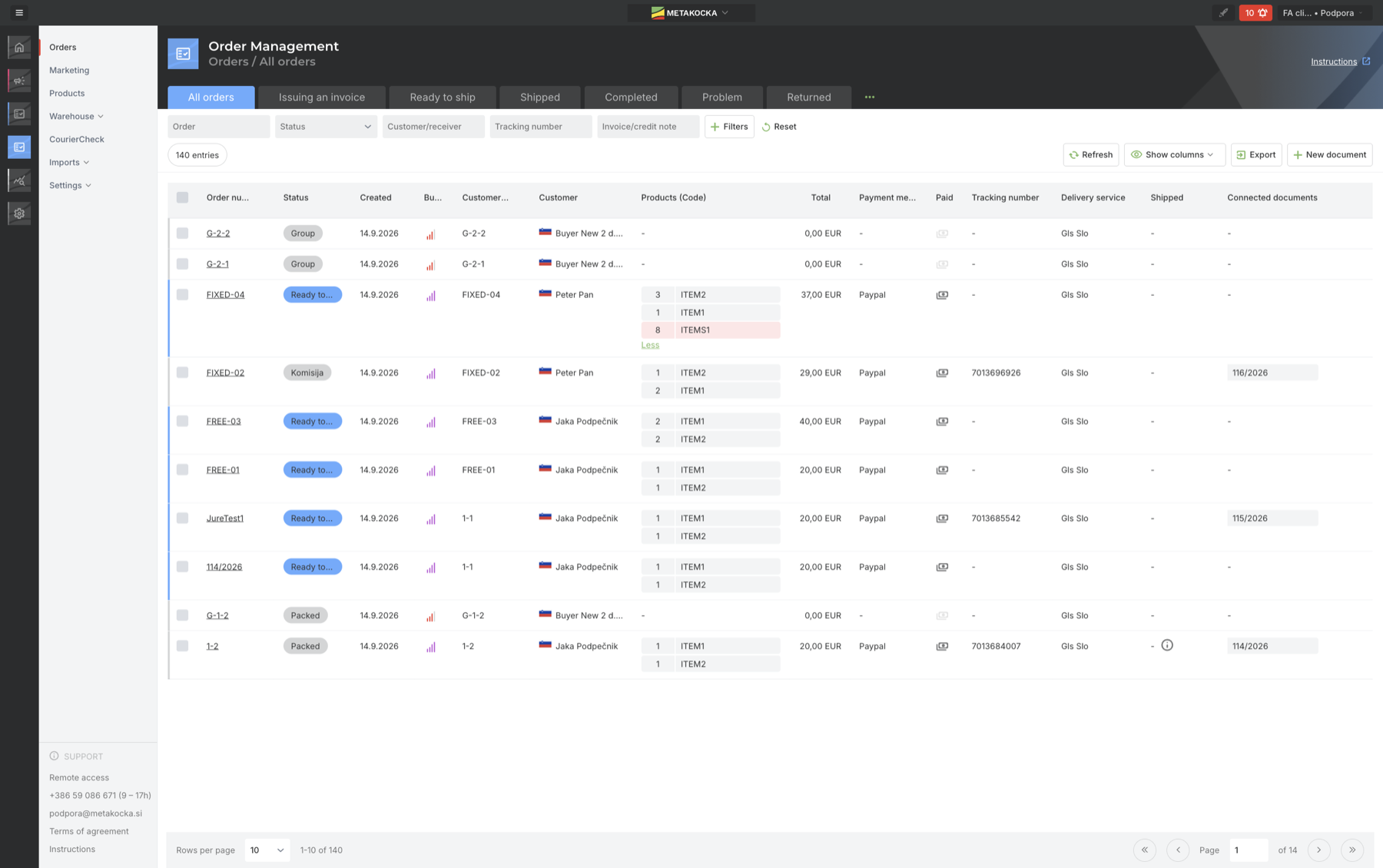
On order FIXED-04 the product ITEMS1 is flagged. The screenshots are from the English interface.
When an order has more products than the row shows, the list expands with the link below it. The marker therefore does not disappear because the product happens to be fourth or fifth on the order.
Free stock in the order details
When you open the order, the products section has a Free stockcolumn. On a product whose free stock is negative, the value is printed in red. Negative free stock means more is reserved than is in the warehouse, so the order cannot be covered in full.
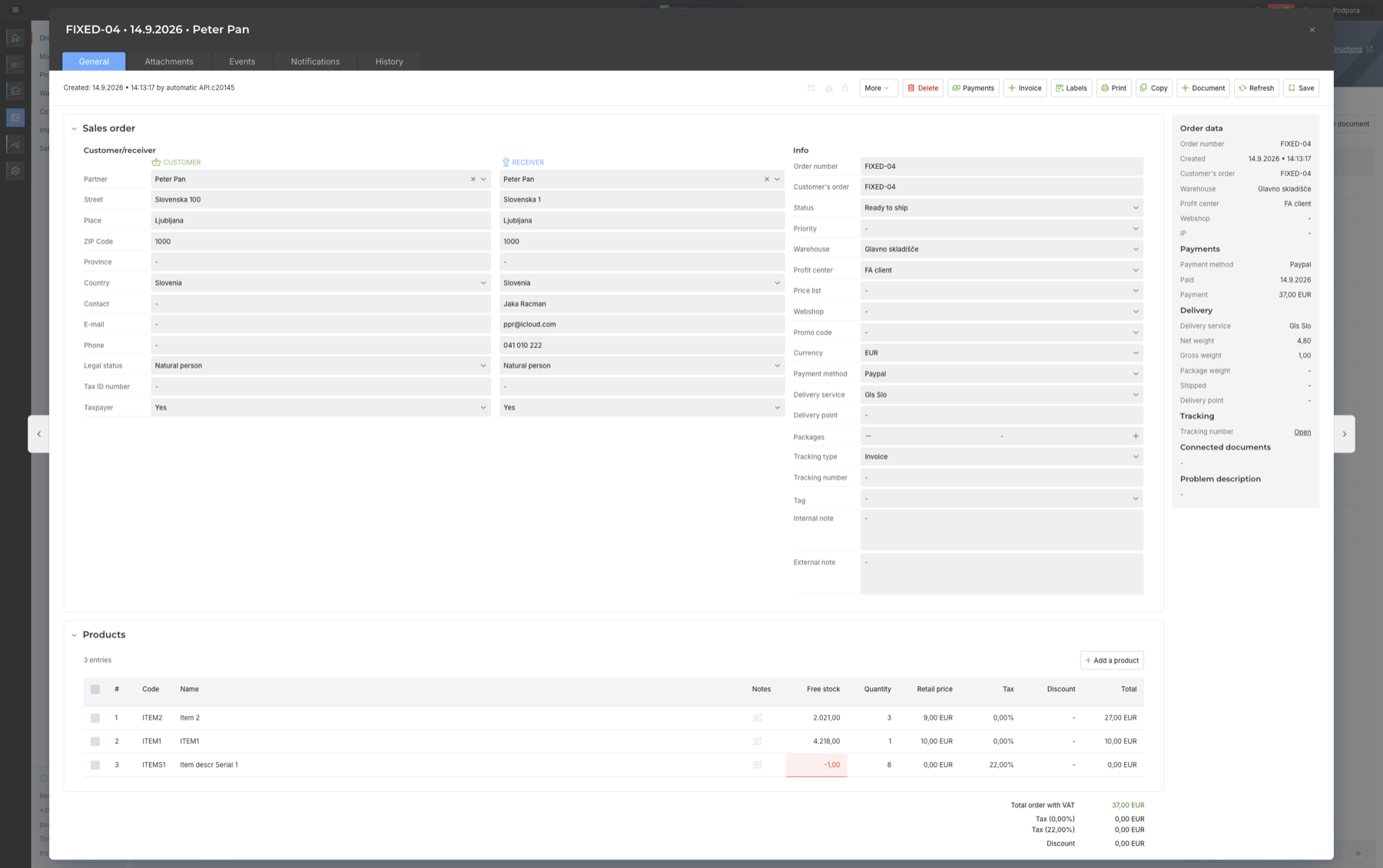
The first two products have enough stock, the third has free stock of -1.
The warehouse selected on the order is the one taken into account. If you run several warehouses, the marker says the product is not in this one, not necessarily that the company has none anywhere.
When this shows most
- When sorting work for dispatch. Orders that cannot be packed are better set aside before anyone starts on them.
- With partial dispatches. The list shows which product is the one holding the order up.
- When informing customers. A delay is easier to tell a customer straight away than on the day they expected the parcel.
- Ahead of the season. In November, when there are half as many orders again, missing stock comes up more often than usual.
When a product drops below its threshold in the first place is shown by the minimum stock warning. The feature is part of Order Management.
Instructions and further information:
MetaKocka support · Order Management · Analytics
Stock and orders in the same system
In Order Management stock, orders and delivery sit in one place, so the stock situation is visible on the order itself.
| Try it out |
To your success,
The MetaKocka Team
Would you like to hear about new features and improvements?