
 Order Management
Minimum stock is now visible in the stock overview
A product that has reached its minimum stock is marked with a yellow warning in the stock overview. A new filter lists all such products at once.
TL;DR (In short)
- In the stock overview, products below the set threshold get a yellow warning.
- Hovering shows you what the threshold is.
- The new Min. stock filter lists every product that has reached it.
- Nothing has to be set up for this, the warning shows on products that already have a threshold.
Why the threshold was not visible until now
Minimum stock is a level you record on the product and do not want to fall below. Setting it is simple, but until now the stock overview did not show whether a product had already reached it.
An email notification could be set up before, but that setting is often forgotten. And the stock overview showed only the quantity. Whether 141 pieces is enough could not be told from the row, because the threshold was not next to it.
Where to find it
In Order Management open Warehouse and Stock. Above the list there are filters by warehouse, code, EAN and name, and now there is also Min. stock.
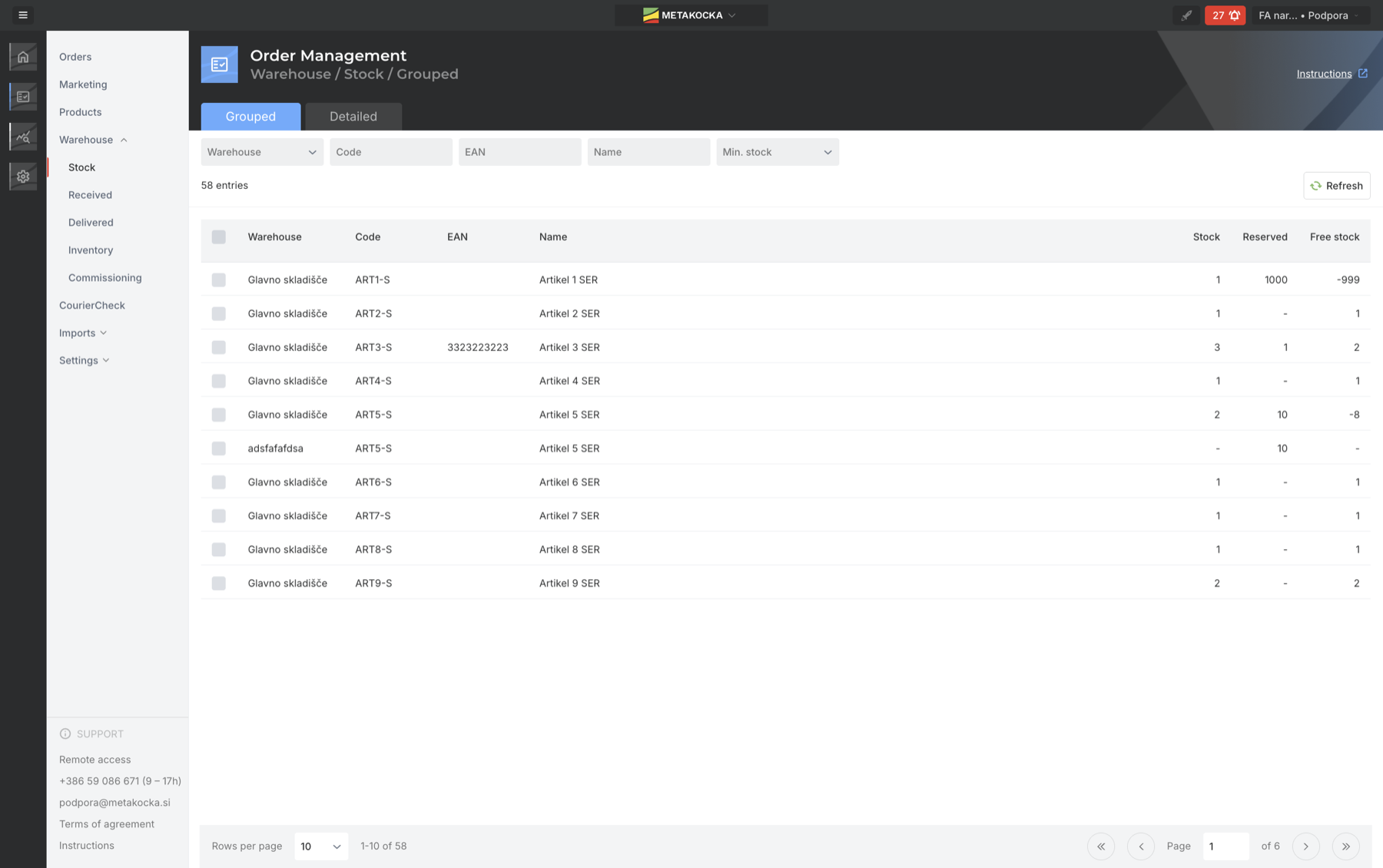
The new filter is the last one in the row. The screenshots are from the English interface.
A yellow warning in the row and the threshold in the tooltip
On a product that has reached the threshold, the stock column shows a yellow warning iconand the cell gets a yellow background. Hover over it and the minimum stock that is set. The threshold does not have to be looked up in the product settings.

The tooltip says the threshold on this product is 400 pieces.
A filter for products below the threshold
The warning helps when you are already looking at the product. When you want an overview of everything that needs ordering, set the Min. stock filter to Reached. The list shrinks to the products below the threshold. You clear the filter with the cross, like any other.
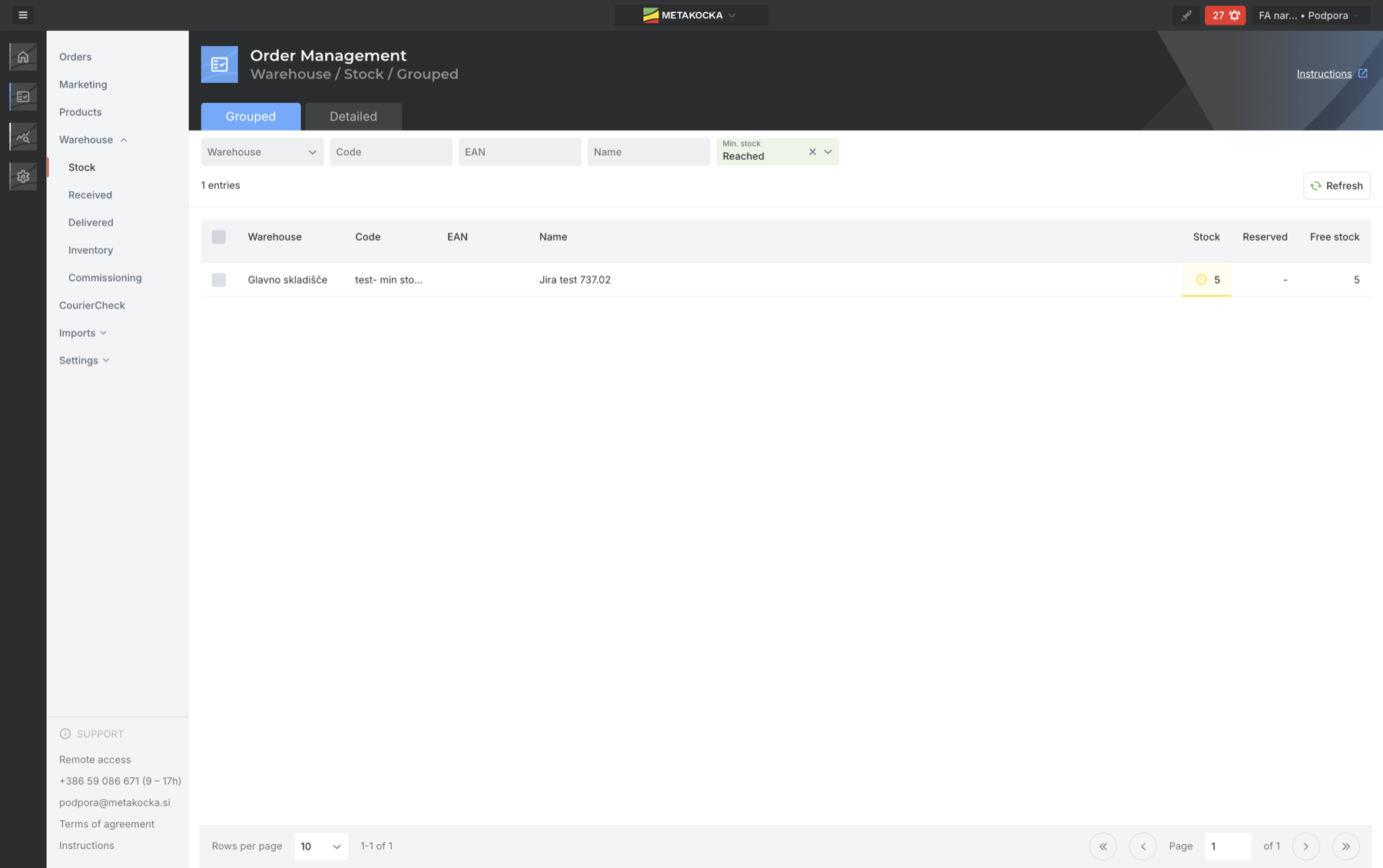
Out of 58 rows, one is left, the one below the threshold.
Nothing has to be switched on. The warning and the filter work on products that already have a minimum stock set. Where no threshold is recorded there will be no warning, so it is worth setting one at least on the products you reorder regularly.
When this shows most
- When ordering from a supplier. Instead of going through the rows one by one, the filter lists the products that are below the threshold.
- On products with long lead times. On a product with a three week lead time, a week of delay in ordering means a week without stock.
- Ahead of the season. In November, when there are half as many orders again, stock runs down faster than usual.
- With several warehouses. You can narrow the list to one warehouse first and only then look at what is below the threshold there.
How much stock is genuinely free is shown by the view of reservations by micro-location. The feature is part of Order Management.
Instructions and further information:
MetaKocka support · Order Management · Analytics
Stock and orders in the same system
In Order Management stock, orders and delivery sit in one place, so low stock is noticed in time.
| Try it out |
To your success,
The MetaKocka Team
Would you like to hear about new features and improvements?