
 New in MetaKocka
A new module for writing to your own customers
The Marketing module is being built. You will import your contacts, tag them and send a message by SMS, email or Viber. For every campaign you will see what it cost and how many orders it brought in.
TL;DR (In short)
- The new Marketing is for the messages you send to customers yourself, not for the automatic order notifications.
- Import contacts from a file or from the data you already hold in MetaKocka, then add tags.
- Build a campaign out of channels, recipients and a message, and see the estimated cost before anything goes out.
- For every campaign you see the cost, the conversion and how many orders it brought in.
Two different kinds of message
Today MetaKocka sends your customers the messages that follow from the business itself: order confirmation, dispatch notice, parcel tracking. We listed those in the article on keeping customers informed, and they go out through MetaKocka Mail.
Marketing is the other kind. There is no parcel behind these messages, you send them because you reckon they will bring an order. That is why every send is paid for and why every campaign is measured.
The module is in development. A version for the first customers comes first, so plenty will still change. We give no release date here, because we do not have one yet.
Contacts first, campaign second
A campaign goes to a list of contacts, so the module starts with them.
- Import from a file. You load the list from CSV or Excel and decide yourself which column goes into which field.
- Import from MetaKocka. Customers and sales orders are already in the system, so nothing has to be copied across.
- Tags. Add tags to a contact and use them later to pick who gets which campaign.
- History. On the contact you can see which import it came from and which campaigns it was part of.
That last part is what separate tools usually cannot do. Once contacts sit in the same database as orders, you can measure how many orders came out of each campaign.
A campaign in a few steps
You name the campaign, pick the channel and the recipients, then write the message. Into the text you drop tags that are replaced at send time with each recipient’s own data, a first name or an address for instance. You save the message as a template, and we prepare a few templates so you do not have to write from scratch.
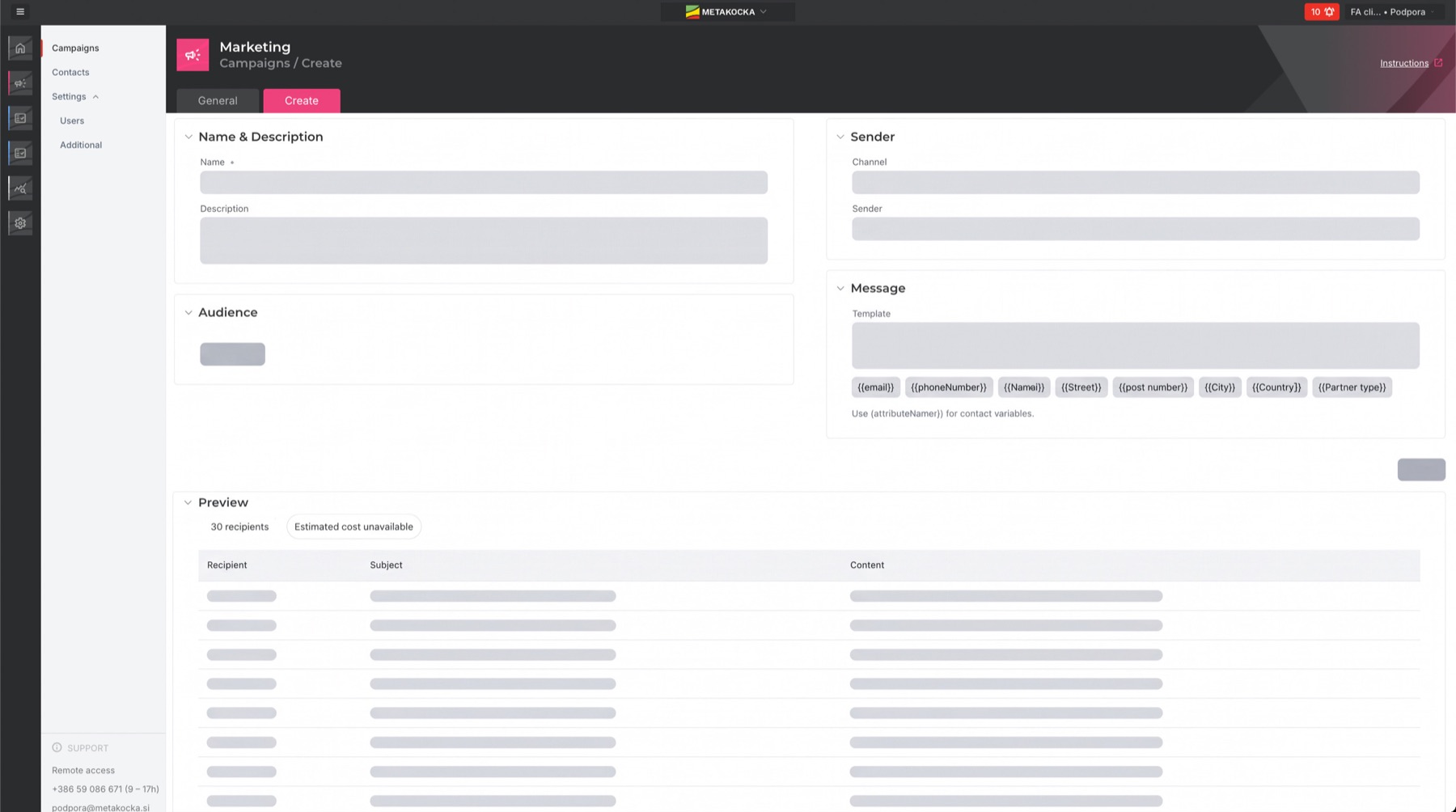
Creating a campaign in the development version. The field contents are blurred on purpose, because the interface is still changing.
Before you confirm the campaign, the estimated cost from the number of recipients and the channel. With SMS that means you see the price before sending, not later on the invoice.
We are also planning a conditional follow-up: whoever did not click or did not buy within a set time gets another message a few days later, on a different channel if you like.
Channels
First in line are SMS and email, because MetaKocka already uses both for order notifications. Next to them we are preparing Viber, WhatsApp depends on templates that have to be approved separately at the provider, so for now we treat it as a channel in preparation. Which channels are available to you will depend on what you have set up.
Campaigns you only switch on
Part of the module will be ready-made campaigns. The first is upselling: the texts are written and translated, you pick the channels, adjust the wording if you want and limit the campaign to particular shops.
Such a campaign can have a monthly budget. Once it reaches it, it stops by itself. A campaign running in the background can spend more than you intended without that limit.
What it cost and what it brought in
The analytics are the main reason the module sits in the same system as the orders. They are planned on three levels: a monthly total, per channel and per campaign.
- Sent. How many messages went out, by channel and by campaign.
- Cost. What the sending actually cost.
- Clicks. How many recipients clicked the link in the message.
- Conversion. How many of the messages sent led to an order.
- Return. The value of orders from the campaign against the cost of the messages sent.
What there will not be: a reliable figure for how many recipients opened the message. With email, opens are no longer a reliable measure, because mail clients often register them instead of the person, and with SMS there is no such figure at all. We would rather measure the click and the order, because both are things that actually happened.
Who this will suit
- Merchants who have customers but never write to them. The contact list grows with every order and is rarely used.
- Anyone paying for a separate tool. An external app can send a message, but it cannot see whether an order followed.
- Ahead of the season. In November, when there are half as many orders again, a message sent a few days earlier can decide whether the stock sells or sits.
- Anyone running several shops. You will be able to limit a campaign to one shop rather than all of them at once.
The module will not be limited to Order Managementusers, it will be available to every MetaKocka user, no matter how many orders a day you have. When it is ready for the first customers, we will write about it here, instructions included.
Instructions and further information:
MetaKocka support · Order Management · Ecommerce integrations
Would you like to try Marketing among the first?
We are looking for merchants who would try an early version in practice and tell us what is missing. Get in touch and say which channels interest you.
| Sign up for the trial |
If the button does not open, write to us at podpora@metakocka.si.
To your success,
The MetaKocka Team
Would you like to hear about new features and improvements?